CrystalAnn
“It is just super smart. I am so excited about the camera system. The ink is absolutely gorgeous and perfect.”




xTool Malaysia · Official Reseller
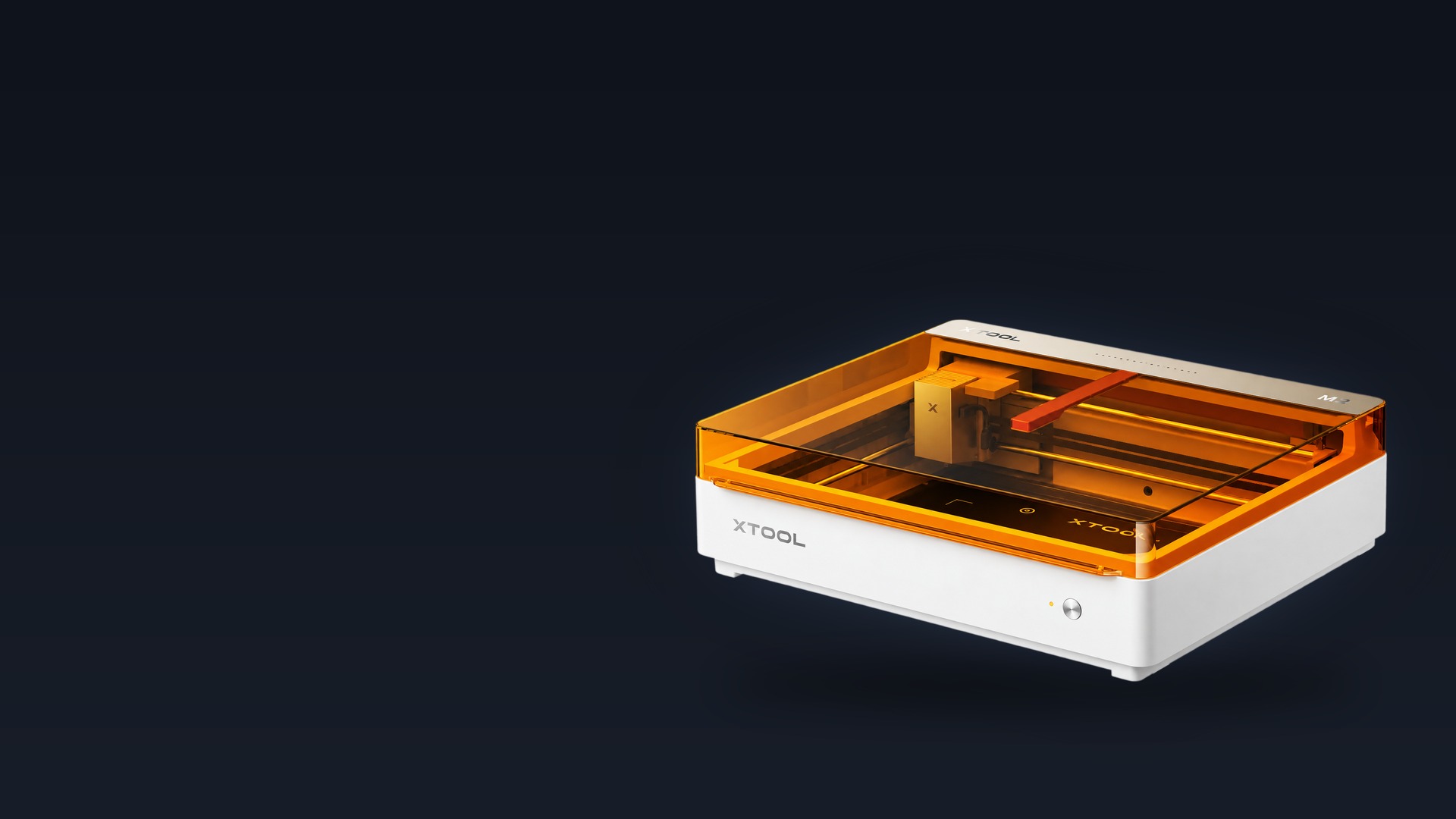
The easiest craft laser with colour printing — full-colour CMYK inkjet printing, precision cutting and custom engraving in one machine, across 300+ materials.
5MP + 2MP dual cameras · ACS™ · 0–100 mm cylindrical
xTool M2 Malaysia
The M2 replaces the separate printer and laser setup with one desktop machine: print full-colour CMYK designs, precision-cut them and add engraved detail in a single workflow with no manual alignment. As an official xTool reseller in Malaysia we supply the machine, the modules and the consumables — and we support it after the sale.
Quoted per configuration — tell us what you want to make and we will spec the machine, the modules and the materials you need.
Why the M2
See what you gain when you move up from an open-frame laser, a vinyl cutting machine or an older diode laser.
From an open laser — safety and a camera you can trust
Safe with pets and kids around — fully enclosed and TÜV SÜD certified.
Real-time preview. Flawless positioning.
Cleaner cuts. No extra accessory needed.
From a cutting machine — colour and depth it cannot produce
Bring full-colour designs beyond paper.
Cut as intricate as lace. Skip the weeding.
Make everyday items one of a kind.
From another diode laser — software and a system around it
Smarter automation. Easier creation.
No design experience required.
Exclusive accessories. Expand what you can create.
The M2 arrives pre-assembled. Modules and accessories are added as your projects grow.
One machine
Transform 300+ materials — cardstock, felt, leather, wood and more — into personalised masterpieces. Full-colour printing, precision cutting and custom engraving on one desktop machine.
Print CMYK designs directly onto wood, paper, cardstock, acrylic and fabric.
Paper that needs no weeding, felt with sealed edges, fabric with no fraying.
Add engraved names, dates and logos with the diode or the 3W infrared module.

One design file, one pass: the M2 prints, cuts and engraves without you re-aligning anything.
Print & cut
The M2 syncs printing and cutting in one seamless workflow. No more switching between devices or wasting time on manual alignment — drop a design in xTool Studio, print it in full colour, cut it out and engrave the detail, all on the same piece of material.

Automated cut-lines are generated for you — perfect for stickers, cards, tags and packaging.
CMYK inkjet module
A high-capacity four-colour cartridge — est. 800 pages at 5% coverage (ISO/IEC 24712), or 400 pages at 100% concentration and high precision.
Like no home printer: wood, paper, cardstock, acrylic, canvas, fabric and felt — not just paper.
Ideal for decorative projects — keep finished pieces away from water, or apply a clear sealer spray to preserve the colours.
Ink cannot be refilled — replace the cartridge and follow the procedure in the user manual. Adjust ink density per material to extend cartridge life, and always secure the ink cap after use.
Dual cameras + ACS™
The first diode laser with dual cameras: a 5MP panoramic camera and a 2MP close-range camera give you a real-time preview of the workspace. Backed by the Automated Creation System™, it fuses vision with motion control for a Place & Go experience — auto-detecting the material and placement while eliminating guesswork and wasted material.

Camera positioning, autofocus and up to 0.2 mm positioning accuracy — no measuring, no test cuts.
Ready-made projects
Dozens of ready-to-use templates — stickers, keychains, name tags, cake toppers, door signs and more. Open one, change the name and the colours, and make it yours.
Create unique door signs for your home, office or business in a few clicks — customise names, fonts and layouts.
Turn any name into a one-of-a-kind gift. From screen to celebration in minutes.
Convert photos or text into custom stickers with automated cut-lines — journaling, branding or temporary tattoos.
Type a name, adjust the layout and cut ready-to-apply decals and tags.
Templates live inside xTool Studio — no design experience required.
xTool Studio
One application drives every module. Purpose-built for the M2 to control, optimise and unlock the machine's full potential — with monthly updates that keep adding value.
1,300+ materials with 110,000+ parameter combinations, tested and fine-tuned in the lab.
3,000+ curated design elements — icons, illustrations, patterns — and 1,500+ fonts.
SVG, DXF, JPG, JPEG, PNG, BMP, TIF, PDF and PDS. Redraw, rewrite, remix.
Background removal, edge tracing, grayscale optimisation and style transformation, built in.
See how a design wraps around a cup or tumbler before you process it.
Fill the work area, duplicate designs and auto-arrange for less waste and lower cost per piece.


Background removal, edge tracing, enhancement and AI expand — inside xTool Studio.
Drop the design, check it on the live material preview and send the job in seconds.
xTool Studio runs on Windows and macOS, connects over USB or Wi-Fi, and ships with an integrated tutorial library.
Precision cutting
Skip the weeding — clean cut lines, no burn marks.
Sealed edges, no fraying — ideal for keychains and layered décor.
Print and cut without fraying — patches, bags and accessories.
Clean details for signs, gifts and interlocking parts.
Paper, felt, fabric and wood all cut on the same machine with material profiles that work.
2D to 3D


Assemble interlocking parts into 3D structures — from miniatures to functional models.
Stack precision-cut layers into dimensional 2.5D art with depth and shadow.
Because the M2 prints AND cuts, a flat sheet can become a finished piece in one session.
360° engraving
With the M2's horizontal laser output it engraves 0–100 mm objects — tumblers, bottles, balls and rings — with no riser base. A more compact, cost-effective setup for full-wrap results.
Cylindrical engraving on the xTool M2 without a riser base.
The RA3 Lite rotary attachment is sold separately. Direct cylindrical engraving to 100 mm works without it.
Modules
Switch between the 10W or 20W blue diode, the 3W infrared module for metal, or the CMYK inkjet module. The M2 adapts to every project — you add the module, not another machine.


Basswood 8 mm in one pass; black acrylic 3 mm.
Basswood 10 mm and black acrylic 8 mm in one pass.
All-metal and plastic engraving — black and coloured.
Full-colour printing with true black.
Laser modules and the inkjet module are sold separately — pick the ones your projects need.
Every occasion
Personalised gifts, engraved messages, the milestones that matter — or turning a hobby into a product line. The M2 is a creative companion for all of it.


Safe for home use
The M2 is fully enclosed with a protective cover and multiple safety features for a Class 1 laser safety rating (TÜV SÜD certified) — worry-free operation for home studios. A built-in air pump delivers clean cutting results with adjustable airflow, with no external air assist required.

The cover shields users from laser radiation during normal operation.
Positioning and monitoring through the built-in vision system.
Adjustable airflow, no external compressor or air assist.
There is no external air port on the M2, so a third-party air pump cannot be connected — the built-in pump is the whole setup.
Accessories
360° engraving for cylinders and spheres. Sold separately.
Thick cuts, high output — basswood to 10 mm in one pass.
All-metal and plastic engraving with the infrared laser.
Cleaner cuts, better support under the material.
Full-colour printing with true black.
99.97% purification efficiency for everyday laser use.
Add accessories as you need them — every one of them is supported by the same software.
Creators
“It is just super smart. I am so excited about the camera system. The ink is absolutely gorgeous and perfect.”
“The most sensible solution that I've honestly seen on the market for crafters or small side hustles.”
“This is the best everyday craft laser. The built-in camera takes the frustration out of crafting.”
“Every time you close the lid, it'll do all of this for you automatically: the photo and the measurement.”
Hands-on reviews from makers and creators who tested the M2.
Real crafters


“Here are a couple things I made on the new M2. The camera system did amazing and the framing blew this project out of the water. M2 is going to be an excellent addition to my studio, especially for colour print projects.” — Beth Morse
Technical specification
| Machine type | Colour craft laser — print, cut & engrave in one machine |
| Laser modules | 10W / 20W blue diode · 3W infrared (add-on) |
| Printing module | CMYK inkjet, water-based dye ink (add-on) |
| Processing modes | Laser cutting · laser engraving · inkjet printing |
| Working area | 10W / 20W: 426 × 320 mm · 3W: 412 × 310 mm · inkjet: 300 × 294 mm |
| Max. rotary engraving | 0 – 100 mm diameter, no riser base required |
| Max. speed | 600 mm/s |
| Cutting capacity | Basswood 8 mm (10W) / 10 mm (20W) · black acrylic 3 mm (10W) / 8 mm (20W) |
| Camera system | 5MP panoramic + 2MP close-range with ACS™ (Automated Creation System) |
| Focus & positioning | Autofocus · camera positioning · up to 0.2 mm accuracy |
| Materials | 300+ — paper, cardstock, felt, fabric, wood, leather, acrylic, metal and more |
| Material library | 1,300+ materials · 110,000+ parameter combinations |
| Design library | 3,000+ elements, icons, illustrations, patterns · 1,500+ fonts |
| Software | xTool Studio — Windows / macOS · USB / Wi-Fi |
| Supported files | SVG, DXF, JPG, JPEG, PNG, BMP, TIF, PDF, PDS |
| Air assist | Built-in air pump with adjustable airflow |
| Safety | Class 1, fully enclosed with protective cover (TÜV SÜD certified) |
| Dimensions & weight | 610 × 569 × 180 mm · 12.3 kg · 200 W input |
| Power | 100 – 240 V AC, 50/60 Hz |
Questions
M2 supports printing, cutting and engraving on paper, fabric, wood, leather, acrylic, metal and more, depending on the module used. Never laser PVC, PC, or leather and foam of unknown composition — ask us if you are unsure about a material.
Fabrics, boards, printing paper and similar materials. It cannot print on very dense or smooth surfaces such as metal, glass and ceramic, because the ink cannot penetrate or adhere properly — those materials can be printed after applying a suitable ink-receptive coating.
Under the ISO/IEC 24712 standard at 5% coverage a cartridge yields approximately 400 pages at 100% concentration, or est. 800 pages at standard concentration on paper. Adjust ink density per material and secure the ink cap after use. Ink cannot be refilled — fit a new cartridge as described in the manual.
No. With the M2's horizontal laser output it engraves 0–100 mm objects like tumblers, bottles, balls and rings with no riser base required.
No. The M2 features a built-in air pump with adjustable output, delivering the same clean results as an external setup. Note that the M2 has no external air port, so a third-party air pump cannot be connected.
For regular laser use the xTool Desktop Air Purifier is a cost-effective option. For frequent cutting, or materials that produce stronger odours, the SafetyPro™ AP2 gives stronger filtration and better odour control. Both are optional accessories.
Yes — the RA3 works with the M2 using the M2 Adapter Kit. Ask us for current availability when you order.
Use a metal honeycomb base, or a hollow wooden base plate, to minimise contact between the paper and the work surface. Both help dissipate laser energy and reduce scorching along the edges.
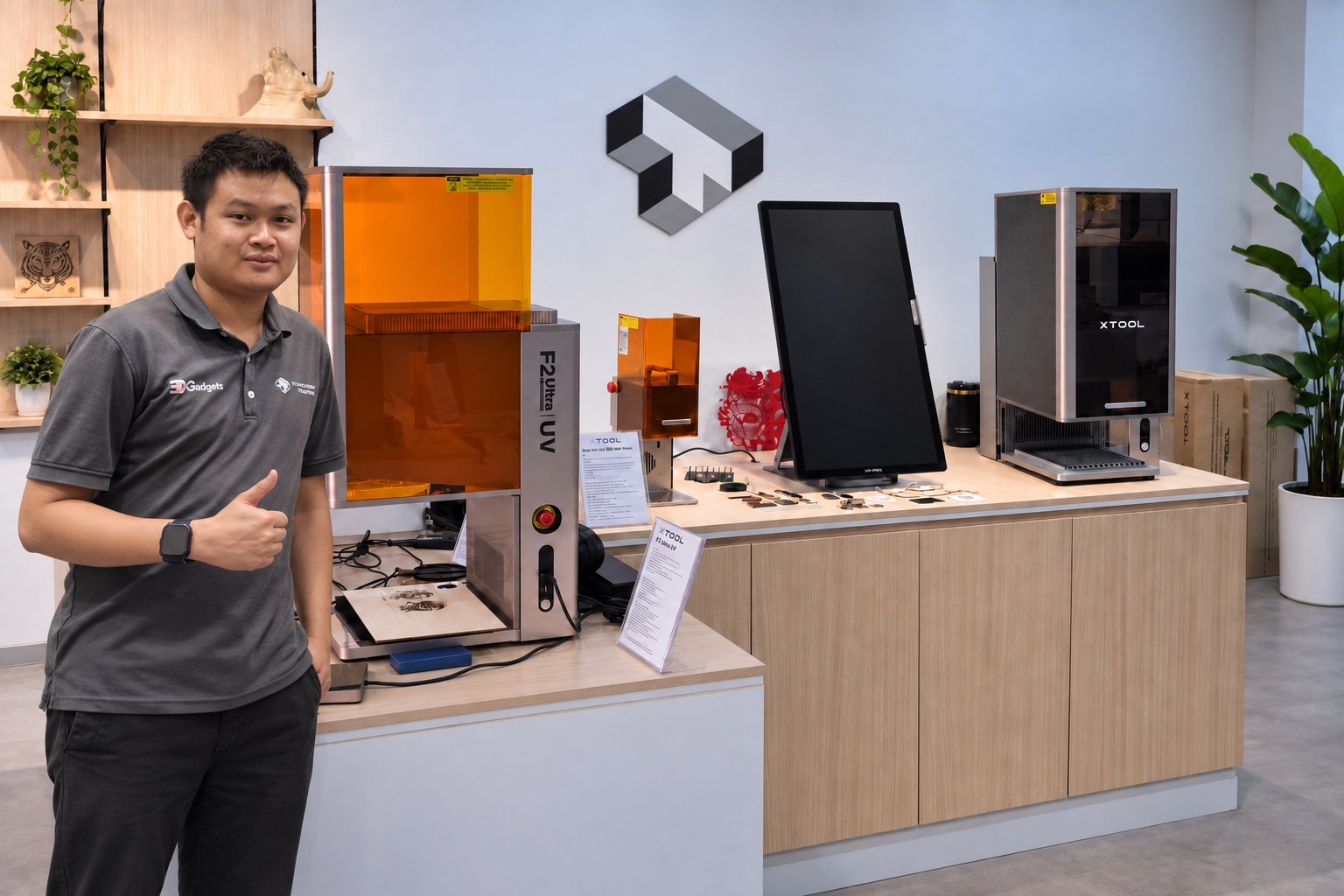
Craft lasers are easiest to judge in person. Bring a sample of your material to the showroom, or send us a photo, and we will show you what the M2 can print, cut and engrave on it.
Tell us what you want to make. We will spec the machine, the modules and the materials, and show you the M2 running in our Kuala Lumpur showroom before you commit.
Talk to us · xTool F2 · xTool F2 Ultra · xTool F2 Ultra UV · Laser cutters