TPU 3D Printing: Material Properties, Settings and Applications
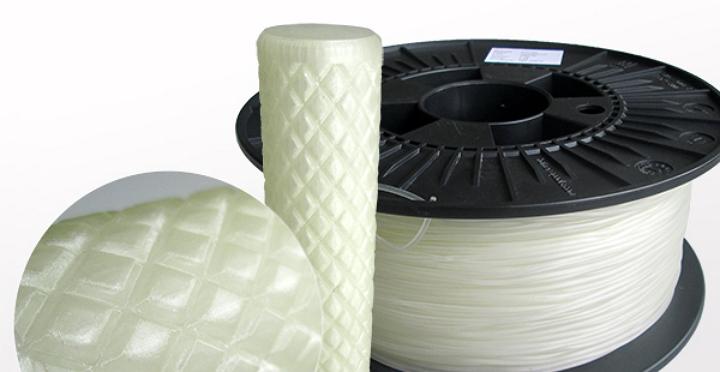
Quick verdict: TPU is the filament that lets an ordinary FDM printer make rubber-like parts: cases, seals, grips and dampers. It wants a direct-drive extruder, slow speeds and genuinely dry filament. Give it those three things and it prints reliably.
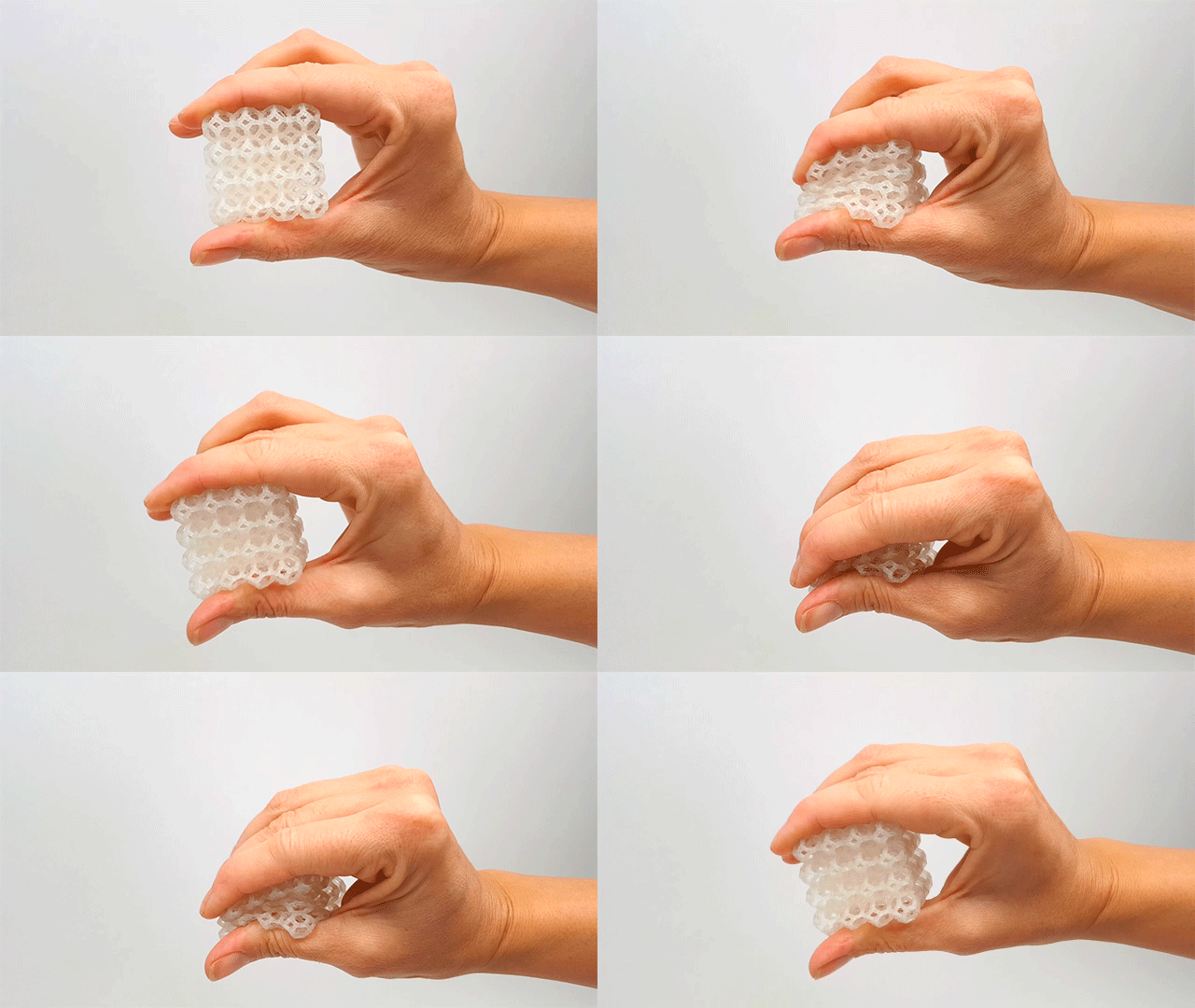
TPU gives a desktop FDM printer something rigid plastic cannot. Parts bend, stretch, compress and spring back instead of cracking. The same spool can produce a phone case, a machine gasket and a set of vibration mounts.
This guide explains what thermoplastic polyurethane actually is, how Shore hardness translates into real behaviour, the settings that keep flexible filament feeding, how to dry and store it, and where TPU wins against PLA and the wider TPE family.
What is TPU filament?
Thermoplastic polyurethane belongs to the thermoplastic elastomer (TPE) family. That family is defined by behaviour: the material carries the strength of a plastic when it is cool and the elasticity of rubber once it is heated and pushed through a nozzle. A printed TPU part holds its shape at room temperature and stretches under load.
Chemically, TPU is a block copolymer. Hard segments built from isocyanates alternate with soft segments built from a reacted polyol, and the ratio between the two is the dial the formulator turns. More soft segments give a floppier material. More hard segments give a firmer, more impact-resistant one. Two spools both labelled TPU can therefore feel like completely different materials in your hand.
Shore hardness is how that dial is reported. The spread runs from roughly 60A, which is soft and very pliable, up to about 80D, which is firm and tough enough to shrug off serious impact. Desktop FDM printers work almost entirely in the 85A to 98A band, sold as TPU 85A, TPU 95A and similar markings. Lower numbers are softer, higher numbers firmer. A 95A part feels close to a shoe sole; an 85A part is closer to a gel insole. Both print, but not with the same settings.
Material properties of TPU
Buy TPU for the combination of properties, not for any single figure on a datasheet. The behaviour that makes it useful on a workshop floor comes from several of them acting together.
Key mechanical properties
- Flexibility. The material bends and returns to its original shape rather than staying deformed, which is the whole reason it replaces rigid plastic in moving or gripping parts.
- High elongation. Some formulations stretch to 500-660% of their original length before breaking, so parts survive repeated stretching and flexing.
- Impact resistance. TPU absorbs impact energy instead of passing it on, protecting whatever sits inside or behind the part.
- Abrasion resistance. Surfaces stand up to friction and wear, which suits conveyor guides, protective bumpers and shoe soles.
- Chemical resistance. Polyester-based TPU handles oils and greases well. Polyether-based TPU performs better in damp environments. Choose on the chemistry your part will meet.
- Low-temperature performance. TPU keeps its flexibility when things get cold and resists cold cracking, unlike some other flexible materials.
TPU vs PLA and the wider TPE family
PLA and TPU sit at opposite ends of the same decision. PLA holds a crisp edge and a tight tolerance with almost no fuss. TPU bends, and it keeps bending for thousands of cycles. Under a heavy impact, PLA cracks while TPU takes the energy and recovers. On friction and abrasion, TPU is in a different category entirely.
The trade-off is printability. PLA forgives a wide temperature range and basic hardware. TPU needs slow speeds, careful moisture control and, ideally, a direct-drive extruder.
| Property |
TPU |
PLA |
| Flexibility |
High, rubber-like |
Low, rigid |
| Impact resistance |
Excellent |
Moderate |
| Abrasion resistance |
High |
Low to medium |
| Print difficulty |
Medium to high |
Low |
| Moisture sensitivity |
High |
Low to medium |
| Bridges and overhangs |
Poor |
Good |
TPE is the broad family, not a finished product, and not every TPE prints like TPU. Softer styrenic TPE formulations exist and are far harder to feed, because they compress and drag inside the extruder instead of pushing cleanly through it. TPU is the member of the family that most desktop users end up buying, since it bonds properly between layers and keeps its dimensions after cooling.
TPU 3D printing settings
Flexible filament is printed with different numbers from rigid filament. Speed, retraction and cooling all move in the same direction: gentler and slower.
Hardware requirements
A direct-drive extruder is strongly preferred. The filament path from drive gear to nozzle is short, so the material has almost no room to buckle, and the printer keeps control of a soft strand. A Bowden setup pushes the same soft strand down a long PTFE tube, where it can coil, bunch up and jam. If a Bowden machine is all you have, stay with the firmer end of the range and keep speeds low.
The build surface matters just as much. Blue painter’s tape on a bare bed, or glass with a thin layer of glue stick, gives the first layer enough grip without welding the part down. Avoid PEI sheets and aggressive textured plates: TPU can bond to them so firmly that removing the part damages the surface, and thin parts simply tear.
If you are choosing a machine for flexible work, our FDM 3D printers page lists the models we supply with direct-drive toolheads.
Recommended print settings
Treat the table below as a starting point, then tune by a few degrees or a few millimetres per second at a time. Moving one variable at a time is what gets you to a repeatable profile.
| Parameter |
Start here |
Notes |
| Nozzle temperature |
220-240 °C |
Suits most 95A formulations. Some high-flow variants print well at slightly lower temperatures. |
| Bed temperature |
50-60 °C |
Enough adhesion for the first layer without excessive sticking. |
| Print speed |
20-30 mm/s |
Standard TPU. High-flow variants may tolerate 50-100 mm/s. |
| Retraction distance |
1-2 mm direct drive, 3-5 mm Bowden |
Keep retraction speed low, around 20-30 mm/s, to avoid clogging. |
| Layer height |
0.1-0.2 mm |
Best quality in this range. 0.3 mm layers print successfully when speed matters more than finish. |
| Part cooling fan |
0-30% |
Heavy cooling weakens layer bonding. A little helps overhangs. |
Filament moisture management
TPU is hygroscopic, which means it pulls moisture straight out of the air. Wet filament shows up as a blemished surface, heavy stringing and a popping or crackling sound as the water turns to steam at the nozzle. None of those problems are slicer settings. They are the spool.
Drying conditions are fairly consistent across the range: 50-60 °C for four to six hours in a filament dryer or an oven. Some harder 98A formulations need a higher temperature, up to 80 °C, for the same duration, so read the supplier’s data for your exact spool before you commit it to the heat.
For storage, keep spools in an airtight container with desiccant. Even a single long print session gives exposed filament enough time to absorb moisture, which is why a dry box or an active dryer running during the print is worth the bench space.
Common TPU 3D printing applications
TPU work splits into three groups: things people wear or handle, parts inside machines, and products sold to customers.
Protective and wearable parts
- Phone cases and device covers. Shock absorption and a comfortable grip that rigid plastic cannot match. The case protects the device and conforms to the hand.
- Watch bands and wearables. Skin-contact formulations exist for straps and wearable components, so the part can touch skin without irritation.
- Protective gear. Helmet padding, sports guards and safety equipment take advantage of the impact absorption and the ability to flex rather than fracture.
Functional industrial components
- Seals and gaskets. Chemical resistance plus flexibility suits oil-resistant seals in mechanical assemblies.
- Cable and wire jacketing. The material protects a cable while still allowing it to route through tight spaces.
- Vibration dampening mounts. TPU soaks up vibration, which cuts noise and wear in machinery and electronic equipment.
- Flexible hinges and snap fits. Repeated bending and compression is where TPU outlasts rigid plastics, and where product life improves.
Consumer products
- Shoe soles and orthotics. Durability and flex suit sole prototyping and custom orthotic devices.
- Tool handles and grips. The soft-touch feel improves comfort and reduces slippage.
- RC vehicle components. Tyres, wheels and bumpers benefit from impact resistance and grip.
- Furniture support pads. Desk leg caps and furniture feet prevent scratching and quieten the room when furniture moves.
Tips for successful TPU printing
- Dry the filament first, every time. A spool that feels dry can still hold enough moisture to spoil a print. The drying step costs hours; a failed print costs more.
- Slow down. Standard TPU runs at 20-30 mm/s rather than the 50-60 mm/s typical for PLA, and success rates rise immediately.
- Keep travel moves off open space. Where the nozzle crosses a gap without extruding, any stringing becomes visible on the finished part. Use your slicer’s travel optimisation to route around open areas.
- Give the first layer time. Bed levelling and a consistent first layer matter more here than with rigid filament. Prepare the surface with glue stick or painter’s tape so the part sticks without bonding permanently to the plate.
Where TPU fits in your material list
Flexible printing does ask more of the operator: slower profiles, drier spools and closer attention to the first layer. In exchange you get parts that no rigid filament can produce, from protective cases to oil-resistant seals, and a hardness range from 85A to 98A that lets you dial in the balance of flex and printability your application needs.
Related reading
Frequently asked questions
Can a Bowden printer handle TPU?
It can, with limits. Firmer grades such as 95A to 98A tolerate a long filament path better than soft 85A, provided you keep speeds low and retraction gentle. A direct-drive extruder removes most of the risk, because the filament only travels a short distance from the drive gear to the nozzle.
Why is my TPU print stringy?
Two causes, in order. Wet filament is the first: dry the spool and reprint before changing anything in the slicer. The second is travel movement across open gaps, which drags a thin thread of soft material behind the nozzle. Address moisture first, then travel optimisation.
What do the A and D in 95A and 80D mean?
They are Shore hardness scales. The A scale covers softer, more rubber-like materials and the D scale covers firmer ones, so 95A and 80D are not on the same ruler. For FDM printing, the practical working range is 85A to 98A.
Does TPU need a heated bed?
A heated bed in the 50-60 °C range gives the most consistent first layer. Some operators print on painter’s tape at lower bed temperatures, but the heated surface makes adhesion far more predictable, particularly on large flat parts that like to lift at the corners.
Is TPU safe for skin contact and food contact?
Skin-contact formulations exist and are used in watch bands and wearable parts, so ask for the grade rather than assuming any spool qualifies. Food contact is a different question. The layer lines of a printed surface trap residue and are difficult to clean, so treat any food-facing application as something to assess case by case with the filament supplier.
Looking for the right solution for your application? Our team is here to help. Talk to our 3D solution specialist today.