
Handheld 3D scanner with robotic arm for automated data capture
3D Scanning Solutions by Industry in Malaysia
Whatever your industry — automotive, mold making, aerospace, marine, energy, medical or education — 3D...
3D scanning for education and research
3D Scanning for Education & Research in Malaysia
For universities, polytechnics and research institutes in Malaysia, 3D scanning turns physical objects...

3D scanning an infant's head for a cranial helmet
3D Scanning for Medical, Dental & Orthotics in Malaysia
For orthotics, prosthetics and dental labs in Malaysia, 3D scanning replaces messy plaster casting with...

3D scanning an energy pipeline for corrosion inspection
3D Scanning for Energy & Heavy Equipment Inspection in Malaysia
For energy operators and heavy-equipment manufacturers in Malaysia, portable 3D scanning replaces slow...

An xTool Retail Studio in-store workshop counter with engraving machines and personalised products on display
In-Store Personalization and Live Engraving: Turn Walk-Ins into Buyers
Live engraving converts browsers into buyers — a customer who watches their own name go onto a product...
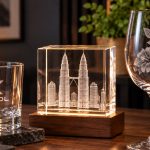
A frosted XTOOL logo on a whisky tumbler beside a crystal block with the Kuala Lumpur skyline engraved inside it
Glass and Crystal Laser Engraving in Malaysia: From Frosting to 3D
Glass needs a UV laser. A CO2 or fiber laser heats the glass and cracks it; a UV laser marks cold, so...

The xTool F2 Ultra on a jewellery shop counter beside trays of gold rings and custom engraving signboards
Jewelry Laser Engraving in Malaysia: Names, Dates and Logos That Last
Laser engraving is the standard for jewellery because it is non-contact — no clamping, no pressure, no...

Six personalised tumblers in assorted finishes, each engraved with a different corporate logo
Tumbler Engraving in Malaysia: The Product That Pays for Itself
Tumblers are the best product to start a personalised-gift business with: constant demand, a cheap blank,...
pro3
cnx-logo1

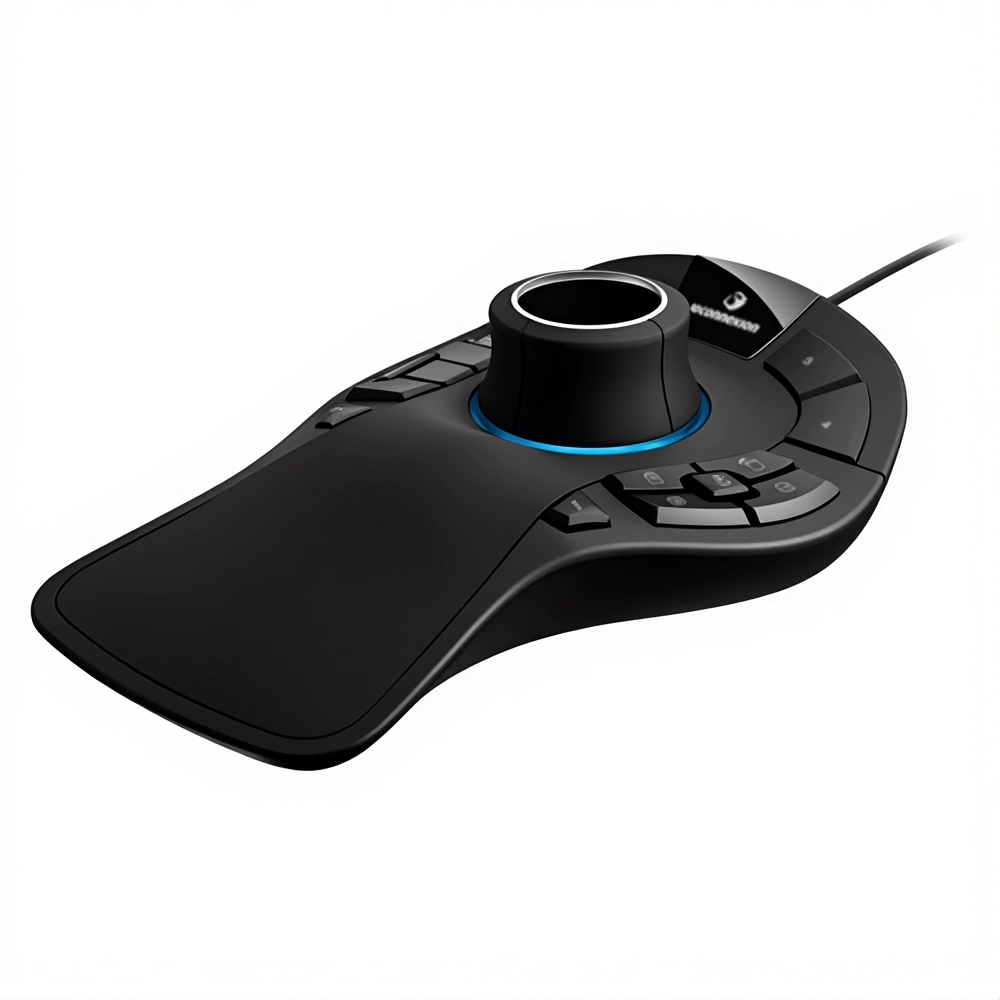
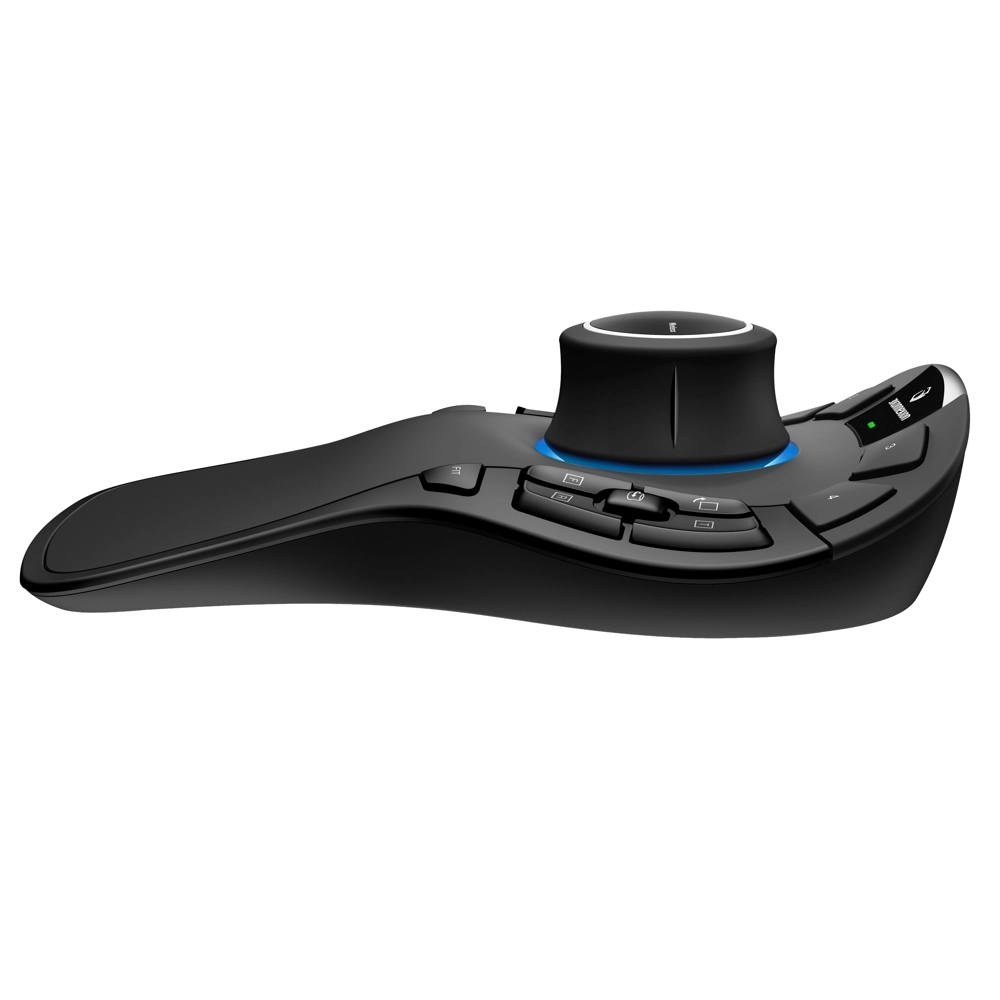
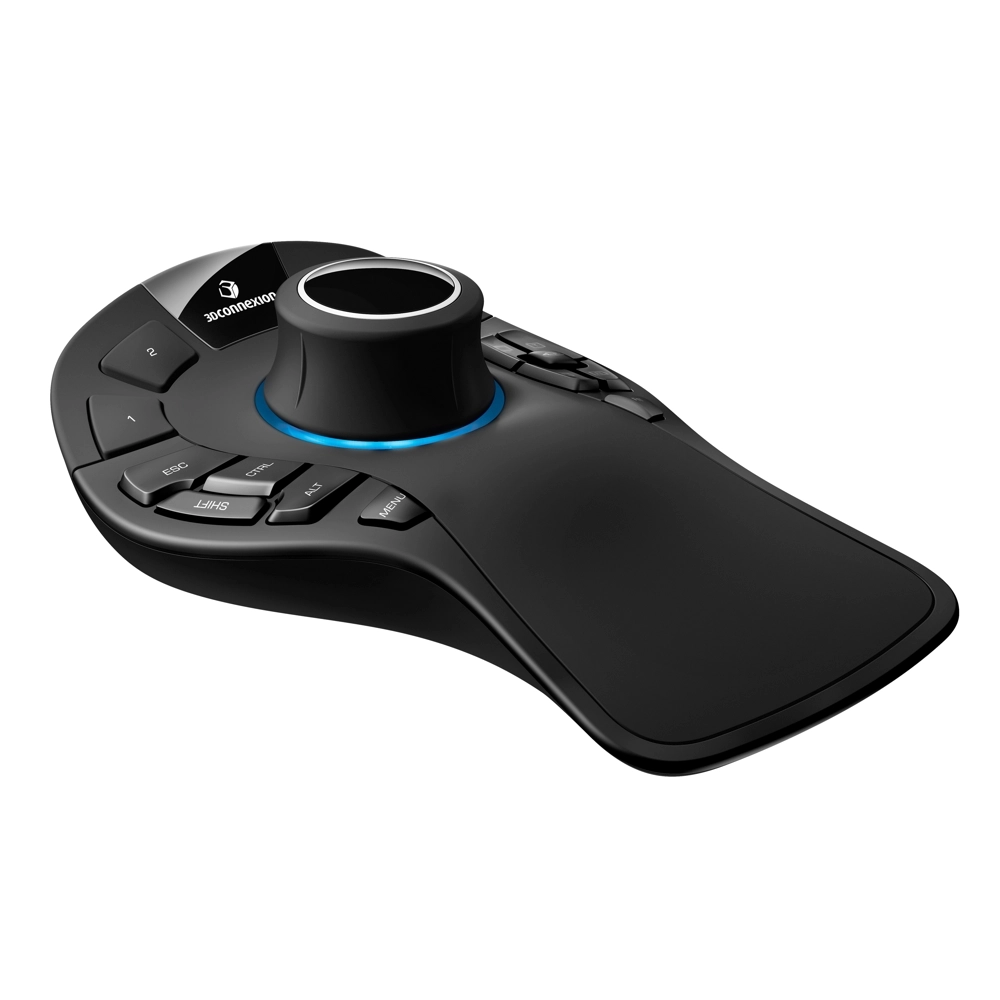
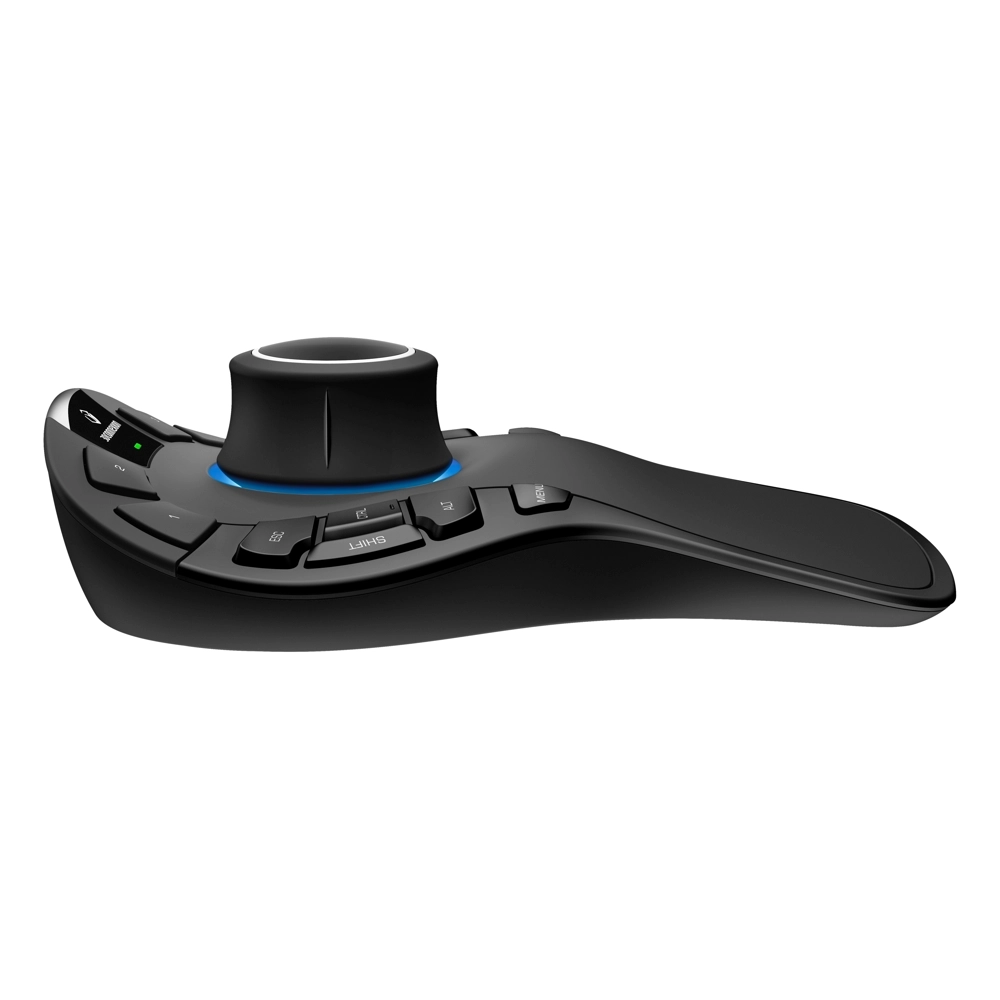
3Dconnexion SpaceMouse Pro

THE STANDARD FOR ENGINEERING

Facebook
WhatsApp
Email
Twitter

Product Details

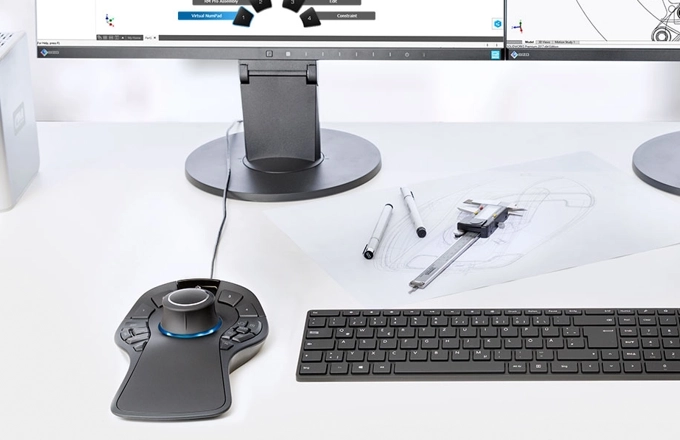
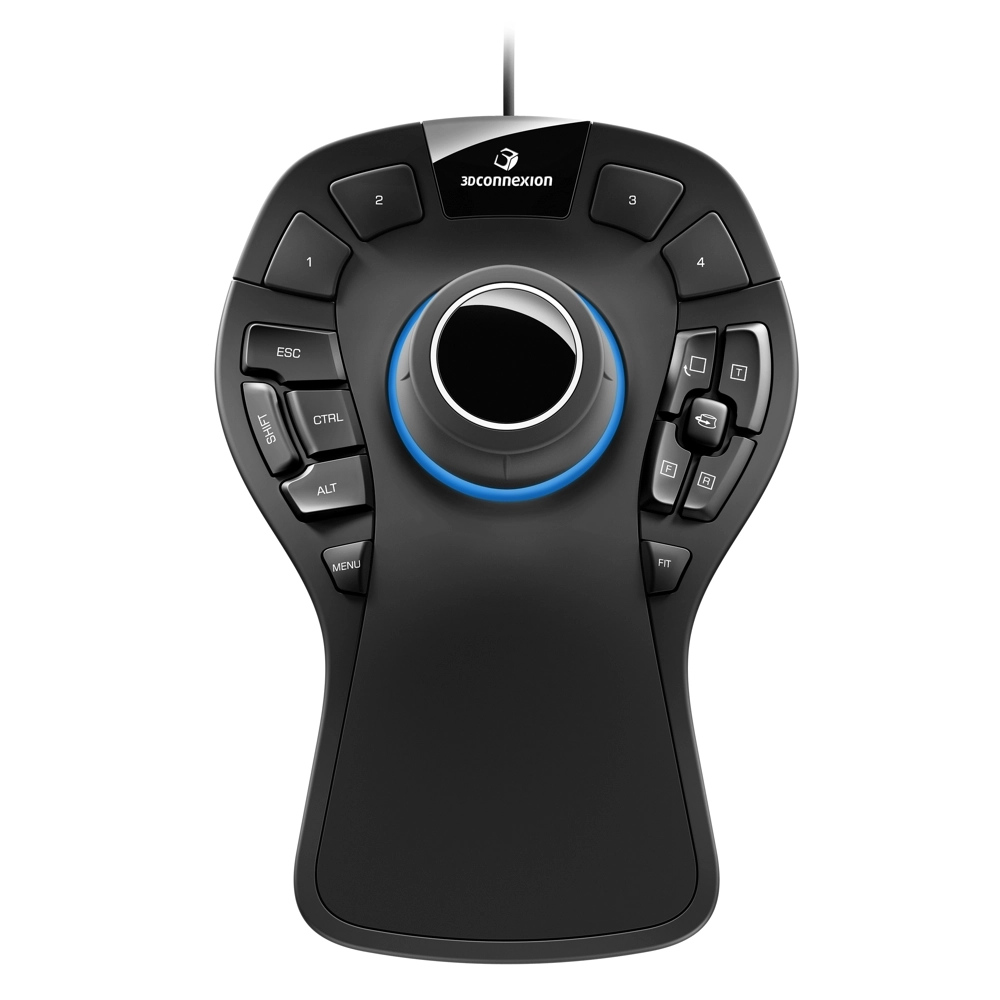
SpaceMouse Pro is the optimal tool for engineers, designers and architects worldwide to create 3D designs across an increasing variety of industries. Delivering intuitive, effortless, precision 3D navigation in CAD applications, the SpaceMouse Pro experience cannot be reproduced with a standard mouse and keyboard.

The SpaceMouse Pro provides intuitive 3D navigation for CAD professionals with a patented 6-Degrees-of-Freedom sensor. It features 15 programmable keys, QuickView keys for instant access to multiple views, and ergonomic design with a full-size hand rest for maximum comfort. With customizable commands, it’s ideal for improving productivity and precision in 3D design workflows.

See all supported applications

Part Number: 3DX-700040

Features:

  • 3Dconnexion six-degrees-of-freedom (6Dof) sensor
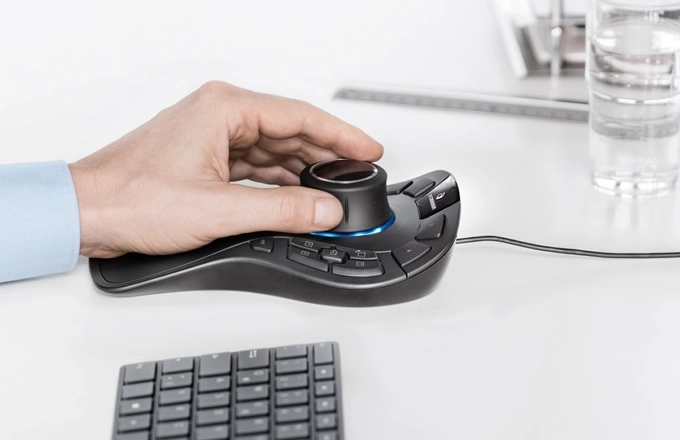
  • Full-size, soft-coated hand rest
  • 4 Application Command Buttons
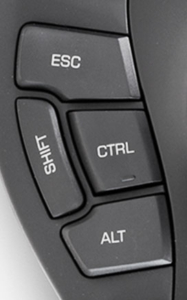
  • 4 keyboard modifiers (Ctrl, Alt, Shift, Esc)
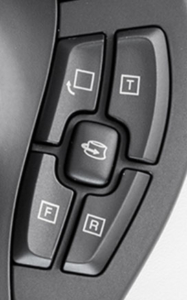
  • 4 QuickView Keys
  • Rotation Toggle Key
  • Menu Key and Fit Key
  • 15 programmable keys in total
  • On-screen display
hd1

Professional Performance At Your Fingertips

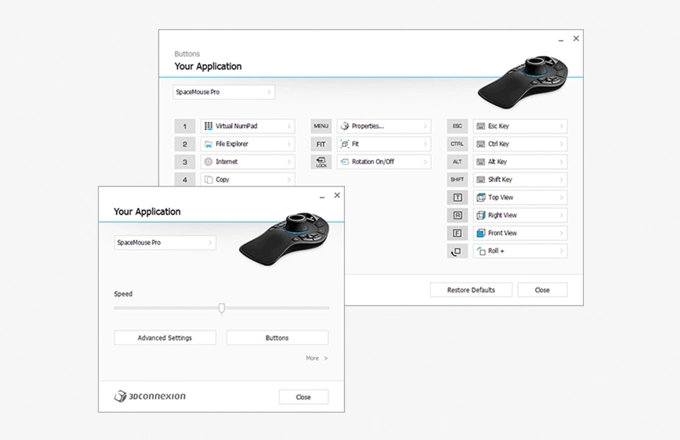
SpaceMouse Pro automatically recognizes your application environment and assigns appropriate commands to four large, soft-touch intelligent function keys, helping you work smarter, not harder.

The on-screen display provides a convenient visual reminder of the commands assigned to the intelligent function keys on your computer screen, helping maintain focus.

hd2

Modify Your Specifications, in Ergonomic Comfort

SpaceMouse Pro keyboard modifiers provide easy access to Control, Shift, Alt, Esc functions, saving time by reducing hand movement to the keyboard.

The full size, soft-coated hand rest ensures maximum comfort by positioning the hand naturally to easily grasp the 3Dconnexion controller cap.

hd3

QuickView Keys: Every Angle Covered

SpaceMouse Pro’s QuickView Keys offer fingertip access to 12 views, making it easier to detect errors, explore alternatives and present your work more effectively.The rotation toggle key disables the rotation axes, providing simultaneous pan-and-zoom navigation in work modes like sketching.
hd4

Professional Performance At Your Fingertips

SpaceMouse Pro Wireless automatically recognizes application environments and assigns appropriate commands to the four large, comfortable 3Dconnexion Keys, helping design professionals work smarter, not harder.

The on-screen display provides a convenient visual reminder of the commands assigned to the 3Dconnexion Keys, helping maintain focus.

Looking for the right solution for your application? Send us your requirement and our team will come back with the right model, price and lead time.

Technical Specification

Dimensions & Weight
Length: 204 mm / 8”
Width: 142 mm / 5,6”
Height: 58 mm / 2,3”
Weight: 665 g / 1,47 lb / 23,46 oz

Warranty
3-year limited hardware warranty

Package Contents
SpaceMouse Pro

Supported Operating Systems
Microsoft® Windows, macOS

Certifications & Registrations
CE, UKCA, EAC, FCC, KC, RCM, BSMI,
WEEE, RoHS-EU, RoHS-CN

Product Video

Product Video List

6 Videos

If you are looking for consumer range products please visit here: 3D Gadgets

Thank you for signing up. You will be the first to know the Industry news, upcoming products, latest technology and special promotion.

Stay Tuned.

Trinventor Solution Malaysia logo

Thank you! 

Your submission has been received. Someone from our team will contact you soon.

If you have any urgent issue,
please contat us by phone
@ +60 12716 8839

Product Inquiry Form

pro3

3Dconnexion SpaceMouse Pro

Book a Demo

pro3

3Dconnexion SpaceMouse Pro

On-site demos are available in most areas of Peninsular Malaysia, and depend on the product model. For some locations or models we may need to arrange a different format - we will confirm within one working day.