Handheld 3D scanner with robotic arm for automated data capture
3D Scanning Solutions by Industry in Malaysia
Whatever your industry — automotive, mold making, aerospace, marine, energy, medical or education — 3D...
3D scanning for education and research
3D Scanning for Education & Research in Malaysia
For universities, polytechnics and research institutes in Malaysia, 3D scanning turns physical objects...

3D scanning an infant's head for a cranial helmet
3D Scanning for Medical, Dental & Orthotics in Malaysia
For orthotics, prosthetics and dental labs in Malaysia, 3D scanning replaces messy plaster casting with...

3D scanning an energy pipeline for corrosion inspection
3D Scanning for Energy & Heavy Equipment Inspection in Malaysia
For energy operators and heavy-equipment manufacturers in Malaysia, portable 3D scanning replaces slow...

An xTool Retail Studio in-store workshop counter with engraving machines and personalised products on display
In-Store Personalization and Live Engraving: Turn Walk-Ins into Buyers
Live engraving converts browsers into buyers — a customer who watches their own name go onto a product...

A frosted XTOOL logo on a whisky tumbler beside a crystal block with the Kuala Lumpur skyline engraved inside it
Glass and Crystal Laser Engraving in Malaysia: From Frosting to 3D
Glass needs a UV laser. A CO2 or fiber laser heats the glass and cracks it; a UV laser marks cold, so...

The xTool F2 Ultra on a jewellery shop counter beside trays of gold rings and custom engraving signboards
Jewelry Laser Engraving in Malaysia: Names, Dates and Logos That Last
Laser engraving is the standard for jewellery because it is non-contact — no clamping, no pressure, no...

Six personalised tumblers in assorted finishes, each engraved with a different corporate logo
Tumbler Engraving in Malaysia: The Product That Pays for Itself
Tumblers are the best product to start a personalised-gift business with: constant demand, a cheap blank,...
exmodel-maiin’
shining 3d logo

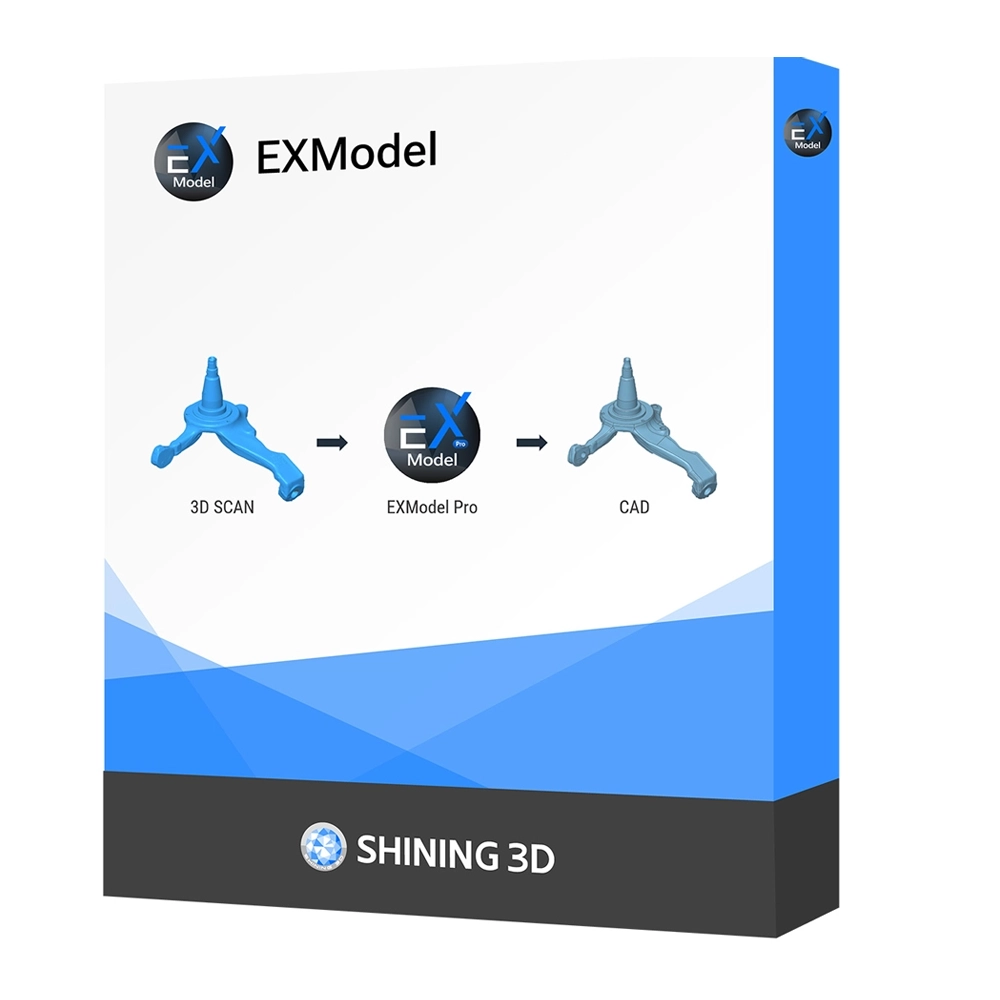
Shining 3D EXModel

  • Effortless Mesh Processing
  • Precision CAD Creation
  • Enhanced Data Utilization
  • Cost-Effective Solution
  • Streamlined Workflow
  • Versatile Export Option
Facebook
WhatsApp
Email
Twitter

Product Details

Shining 3D EXModel, 3D Scans to CAD  Reverse Engineering Solution

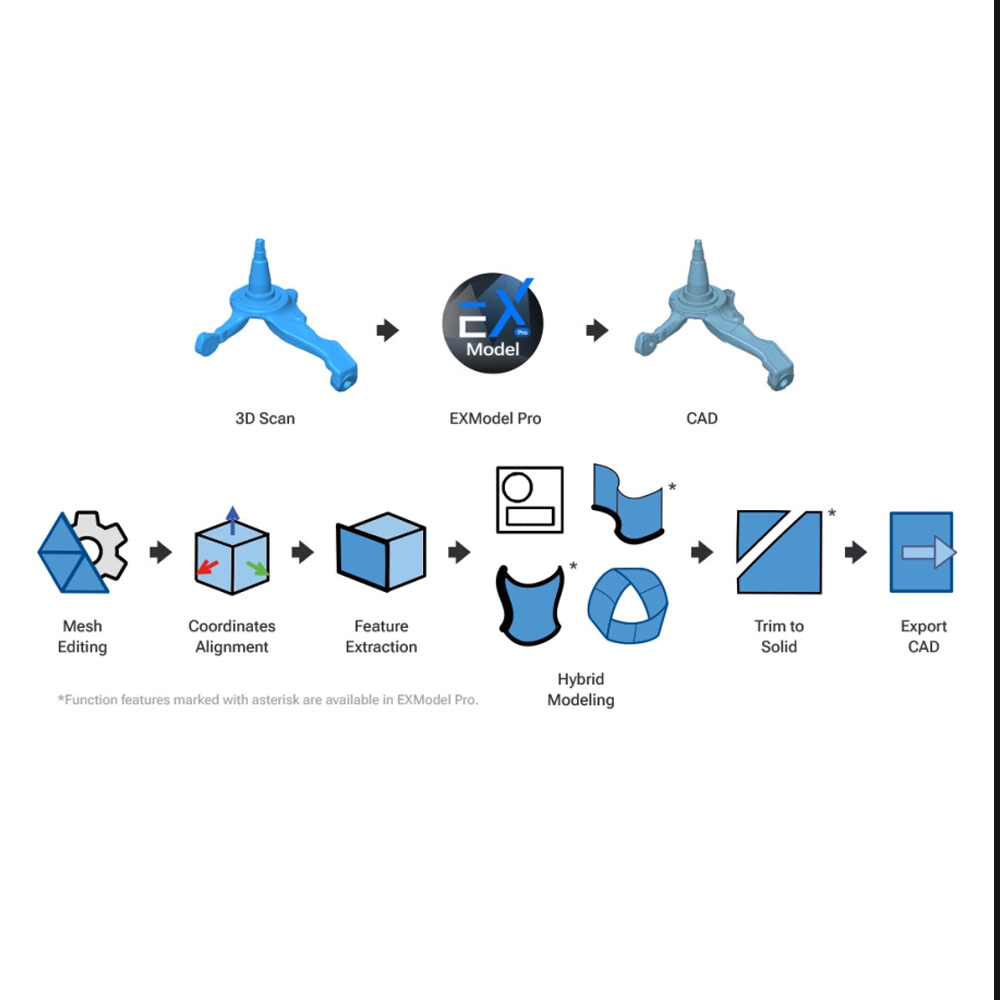
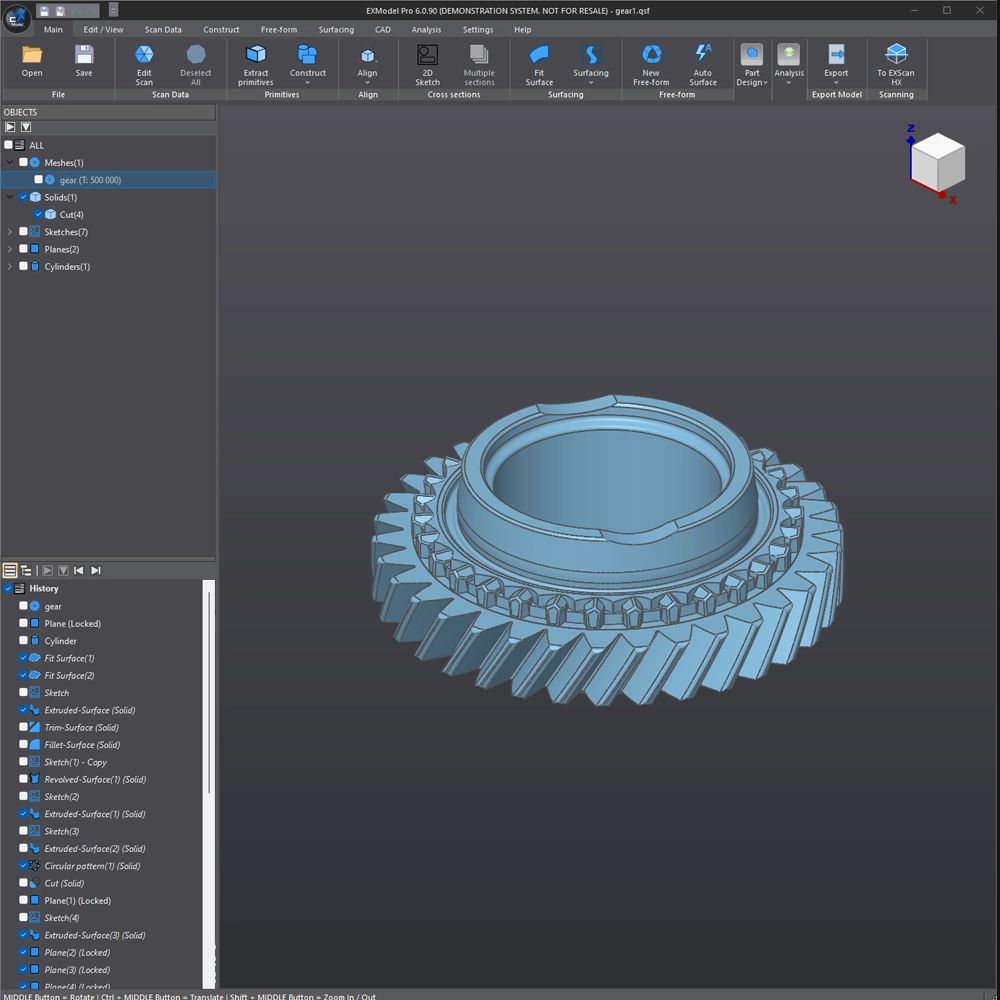
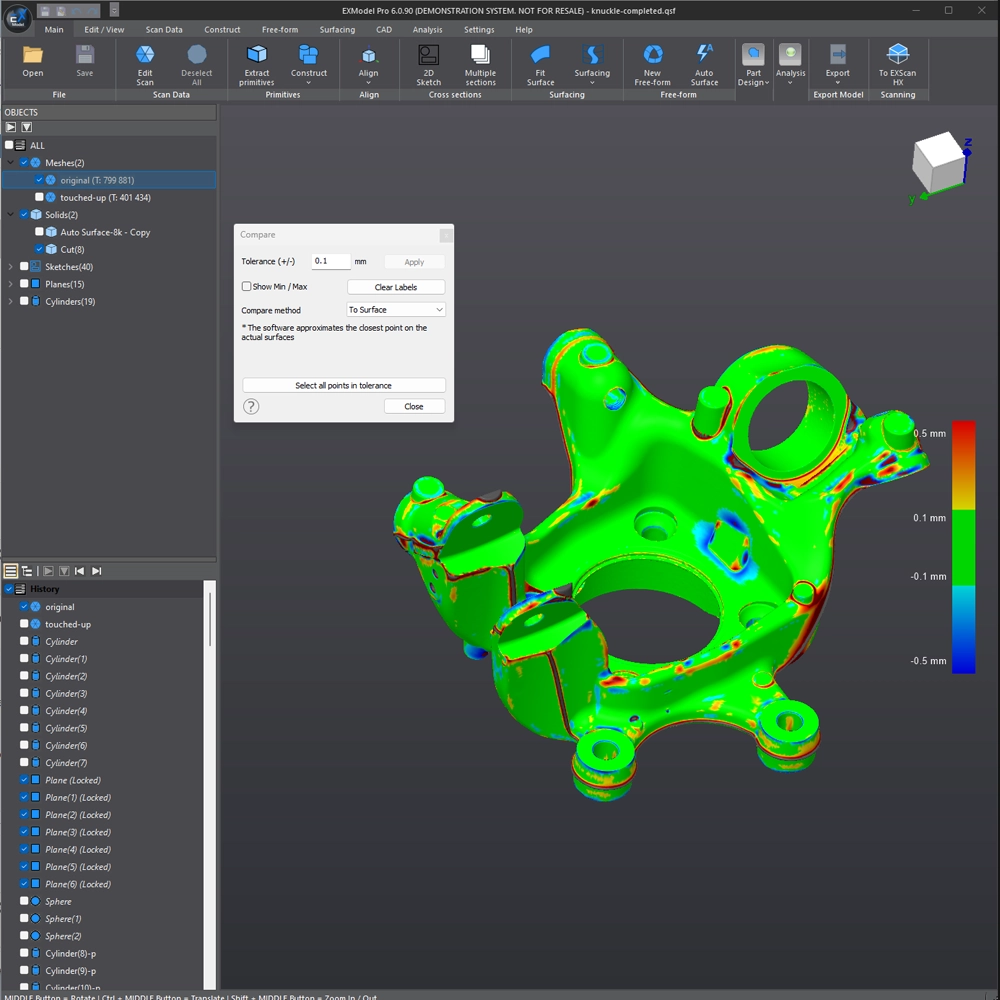
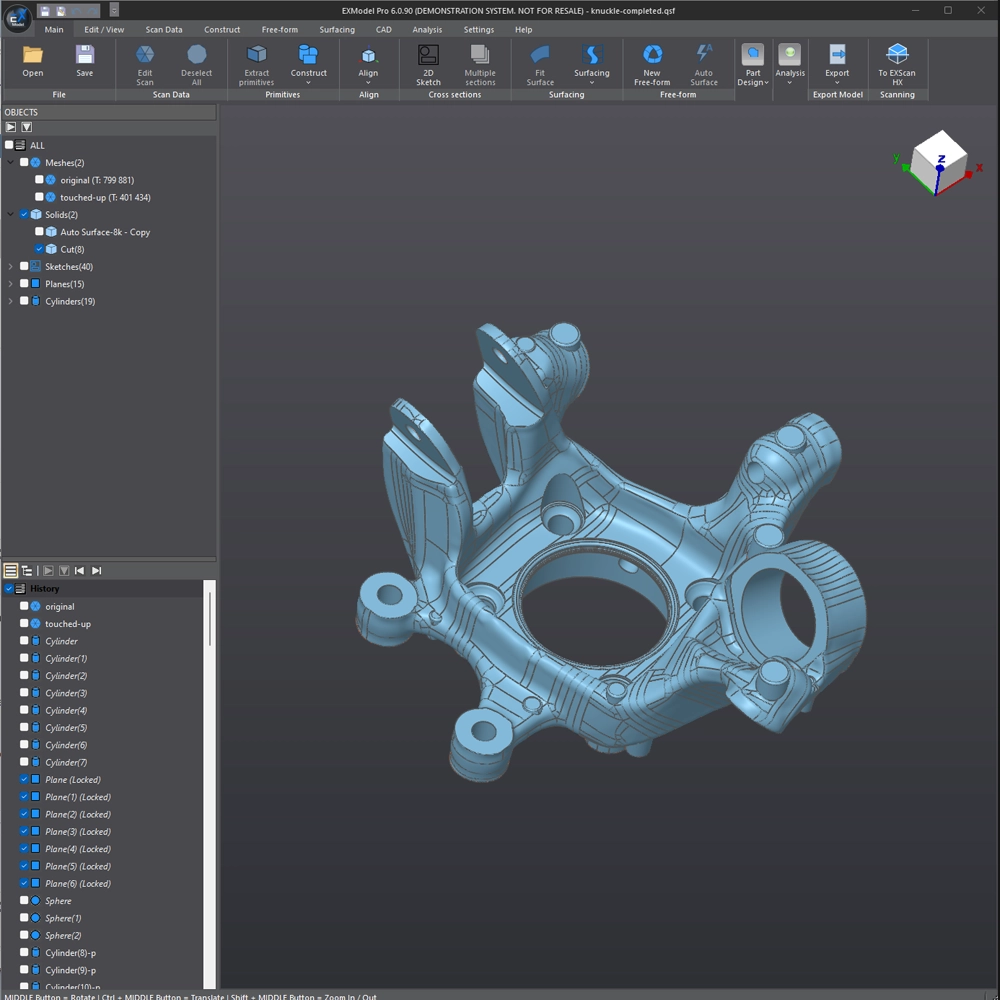
EXModel is a powerful bridge that simplifies CAD modeling from 3D scanning to manufacturing. It provides a comprehensive set of tools that enable you to transform mesh into a professional quality CAD solid model in easy steps.

Seamlessly integrating with SHINING 3D scanners, EXModel Pro includes all EXModel features plus an all-in-one solution for converting mesh data into professional CAD solid models.

*Integrated with EXScan HX, FreeScan, and EXStar software, EXModel supports EinScan HX, FreeScan Combo Series, FreeScan UE Pro, and Einstar, with more SHINING 3D scanners coming soon.

1

Mesh Editing

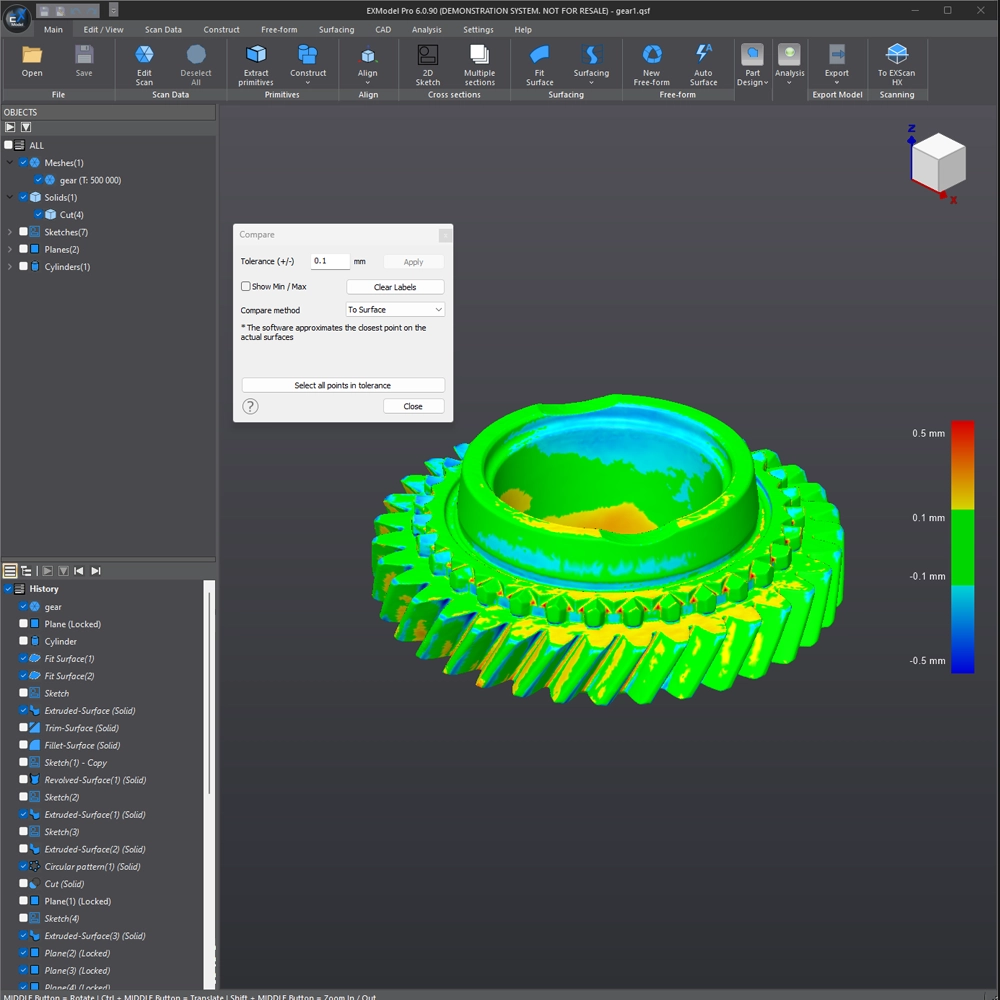
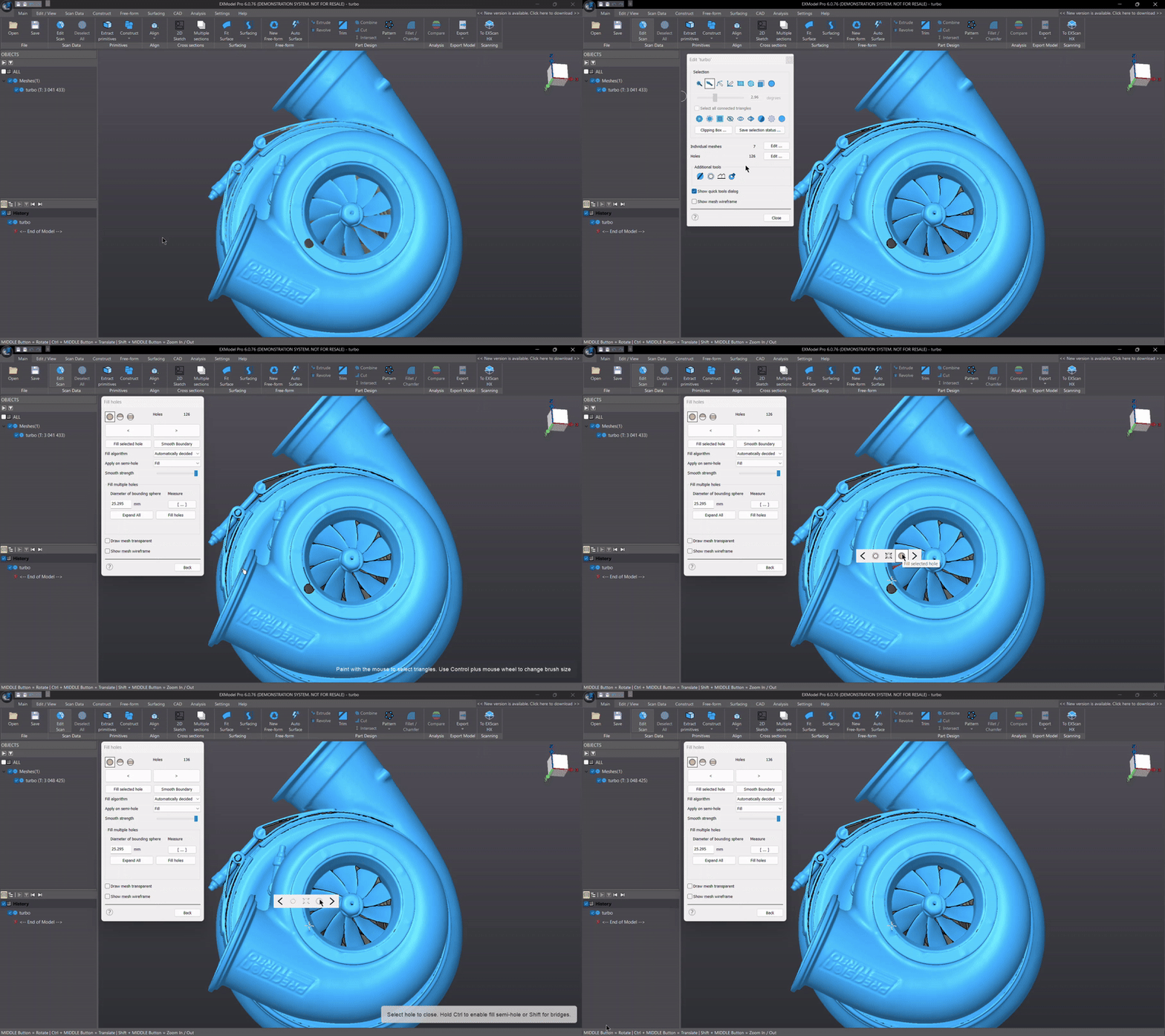
EXModel’s mesh editing tools are simple to use and make it easy to reduce data size while maintaining accuracy. You can easily fill in holes and remove mesh outliers to easily create watertight meshes for 3D printing or reverse engineering.

2

Primitives Extraction

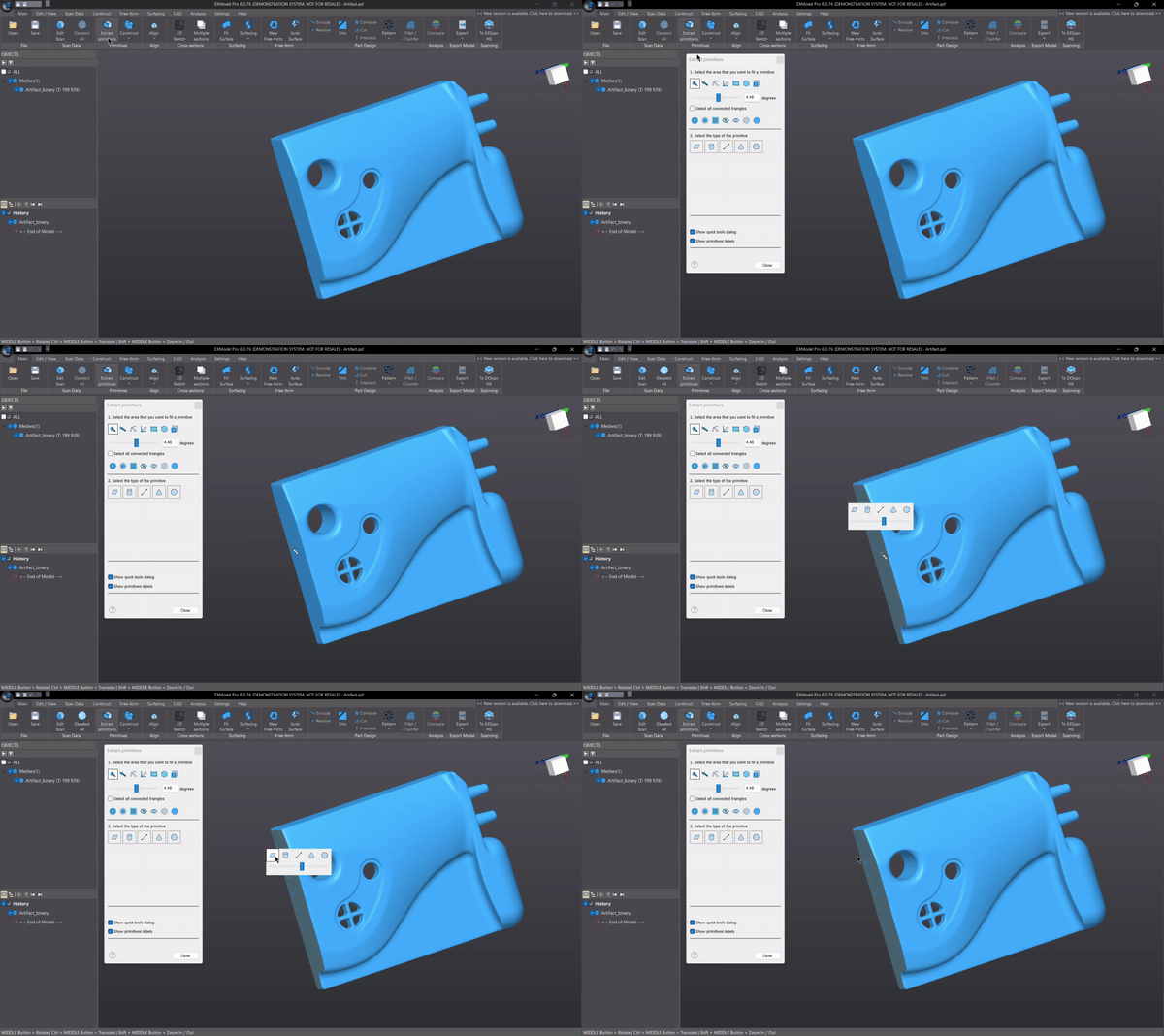
EXModel quickly reconstructs planes, cylinders, cones, and spheres. Additionally, create reference geometries like lines and points for use in aligning meshes to the world coordinate system or to other scans.

3

Constrained 2D Sketching

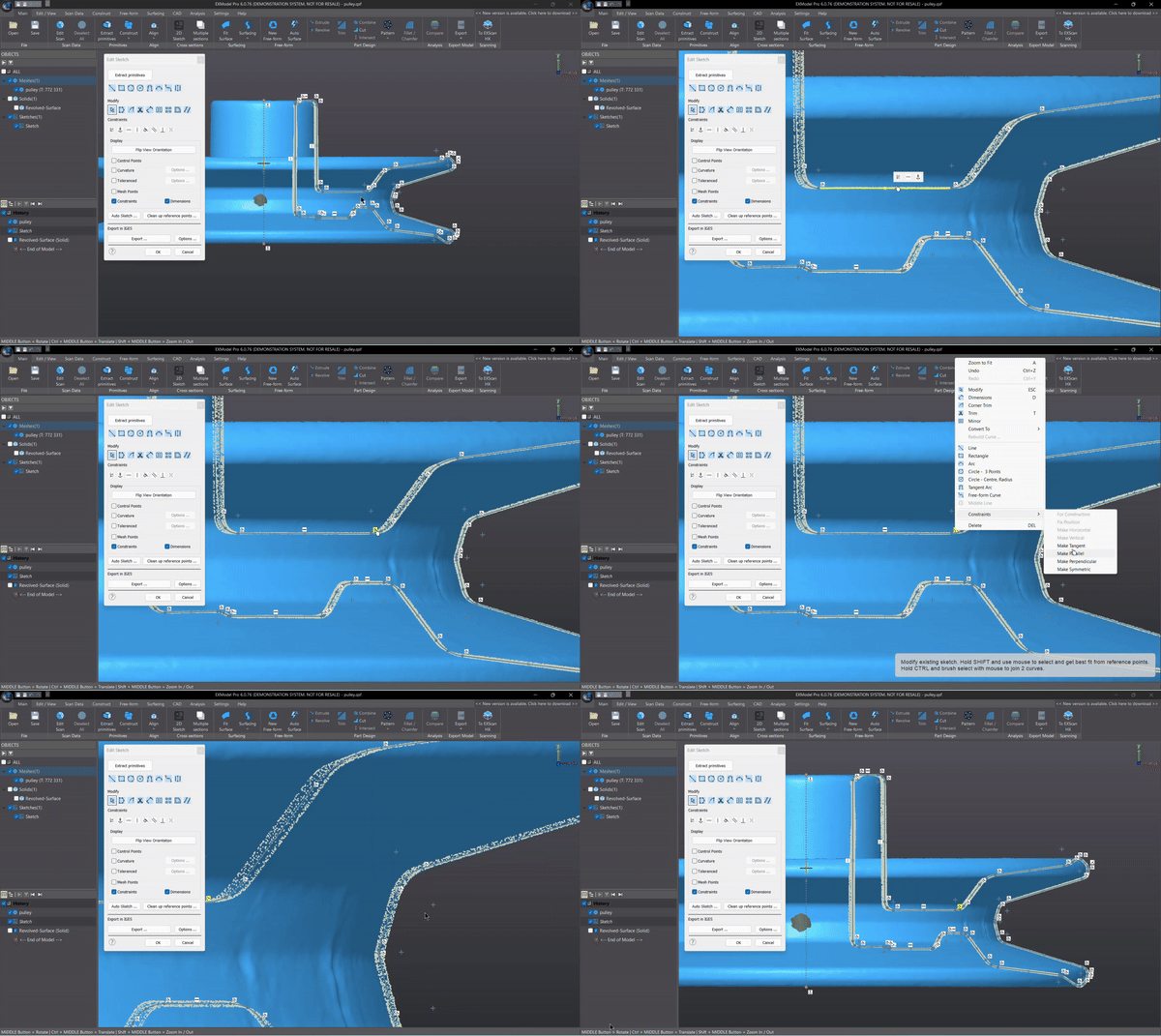
Use the dimensioning and constraint tools in EXModel Pro to create accurate sketches like in any other CAD package. Interactive cutting allows users to extract reference points for 2D sketches. At the same time, interactive creation can collaborate with world or CAD planes, or even cut surfaces of aligned curves. For even more power and efficiency, users can create multiple cutting surfaces at once.

*Available in EXModel Pro

4

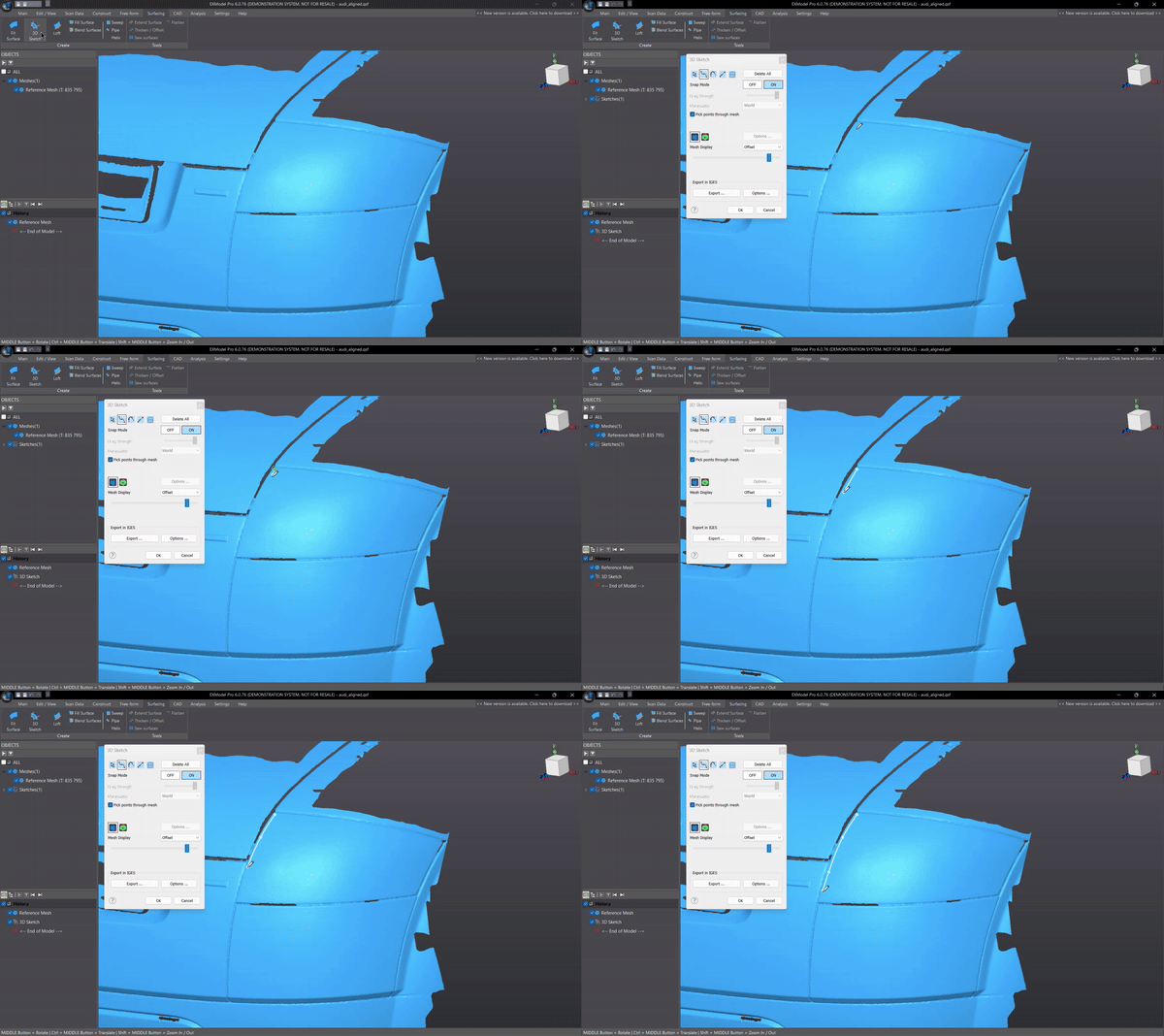
3D Sketching & Fill Surface

Draw freeform curves directly on the reference mesh and create blended curves ready for future use, including filled surfaces, free forms from 3D sketches, or any other CAD surface manipulation. You can also create bounded surfaces from 3D sketches and get the best base shapes for your reference data for more accurate results.

*Available in EXModel Pro

5

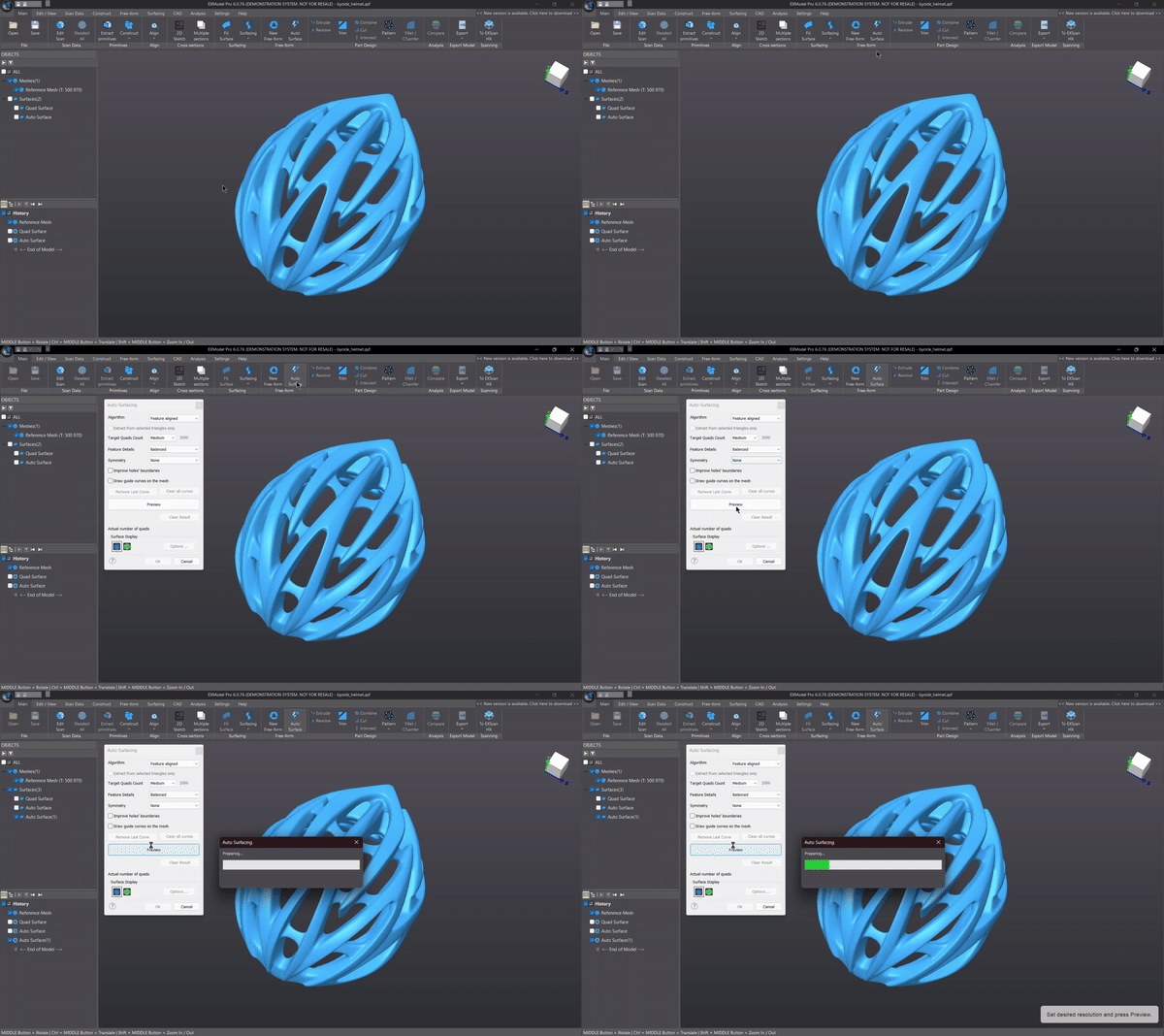
Free-form Modeling & Auto Surfacing

EXModel’s mesh editing tools are simple to use and make it easy to reduce data size while maintaining accuracy. You can easily fill in holes and remove mesh outliers to easily create watertight meshes for 3D printing or reverse engineering.

6

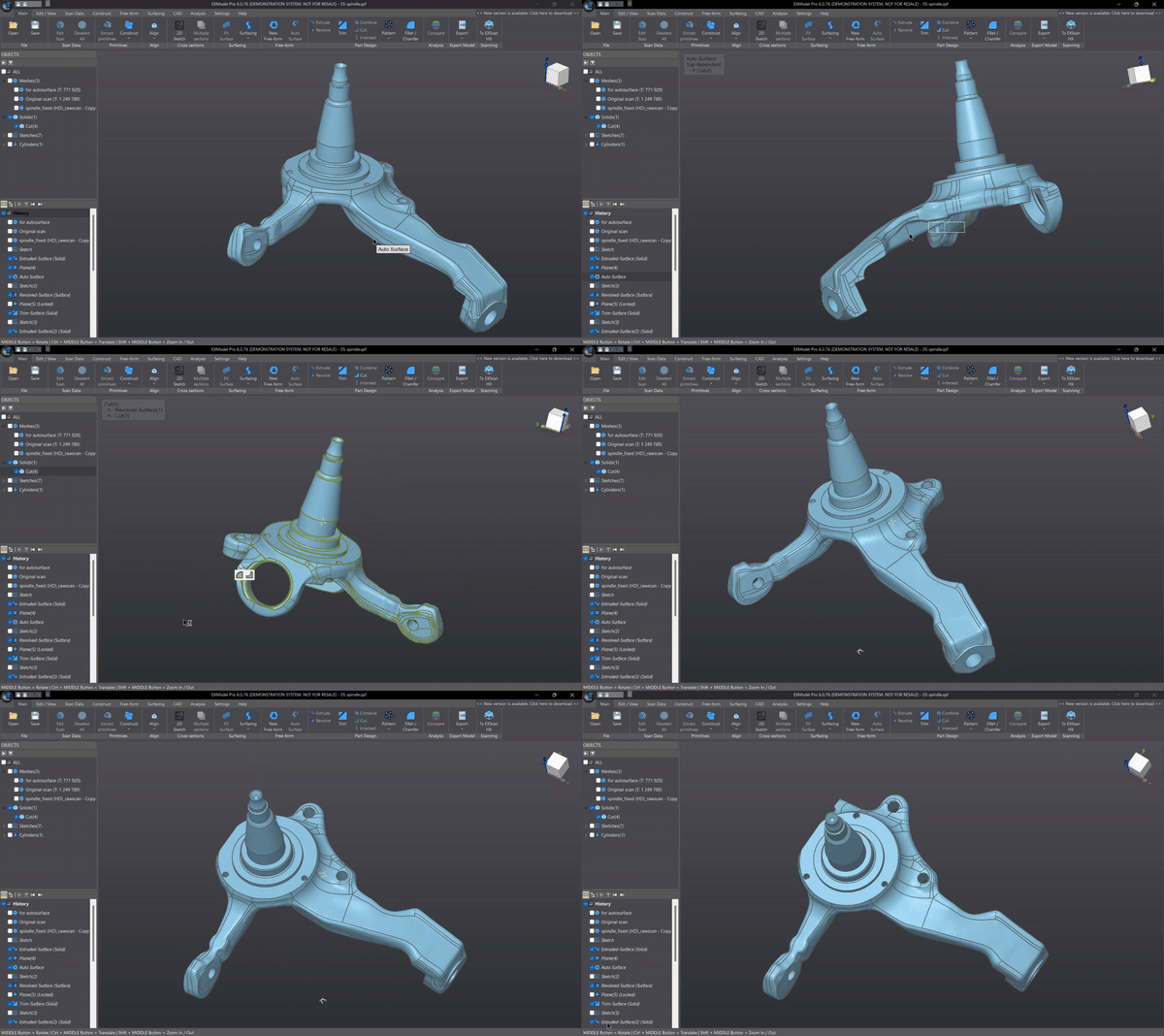
Hybrid Modeling

In addition to being parametric for standard features, the software enables the creation of CAD models through a blend of free-form and prismatic features. Users have the flexibility to revisit and modify free-form surfaces if necessary, ensuring the ability to reconstruct results with ease.

*Available in EXModel Pro

Looking for the right solution for your application? Our team is here to help. Talk to our 3D solution specialist today.

Technical Specification

Feature EXModel Pro
All-in-one Reverse Engineering Solution
EXModel
Bridging 3D scan mesh and CAD
Mesh Editing (Segmentation, Fill Holes and Smoothing) ✓ ✓
Mesh Alignment (Coordinates/ N-points/ Fine Align) ✓ ✓
Primitives Extraction/ Construct References ✓ ✓
Cross Sections/ 2D Sketching/ 3D Sketching ✓ ✓
Fit / Manual Free Form Modelling/ Auto Surfacing ✓ ✓
Export Features/ Profile as IGES/STEP/DXF ✓ ✓
Constraints/ Offset/ Patterns in 2D sketch ✓ ✗
Helix/ Loft/ Sweep/ Fill Surface/ Blend surface/ Flatten ✓ ✗
Extrude/ Revolved surfaces ✓ ✗
Trim to Solid / Cut / Combine / Intersect / Fillet / Chamfer / Patterns ✓ ✗
Hybrid Modelling (Free-Form & Parametric) ✓ ✗
Transfer Design and Feature Tree to other Packages ✓ ✗

Product Video

Product Video List

6 Videos

Resources

If you are looking for consumer range products please visit here: 3D Gadgets

Thank you for signing up. You will be the first to know the Industry news, upcoming products, latest technology and special promotion.

Stay Tuned.

Trinventor Solution Malaysia logo

Thank you! 

Your submission has been received. Someone from our team will contact you soon.

If you have any urgent issue,
please contat us by phone
@ +60 12716 8839

Product Inquiry Form

exmodel-maiin’

Shining 3D EXModel