Polycarbonate 3D Printing: Properties and Applications
Polycarbonate 3D Printing: Properties, Print Settings and Industrial Applications
Quick verdict: Polycarbonate is the toughest material most workshop FDM machines can handle, and it is the right choice when a part has to take impact, heat and load without failing. It is also unforgiving: it needs an all-metal hotend, a hot bed, an enclosure and dry filament. If your workshop cannot meet those conditions, a blend will deliver most of the performance with less fuss.
Polycarbonate sits at the demanding end of FDM printing. It prints hot, it warps hard, and it punishes any moisture left in the filament. What you get in return is a part that behaves like an engineering plastic instead of a display model.
This guide covers what polycarbonate actually does well, how it compares with ABS, PETG and PLA, the settings that work in practice, and the industrial jobs Malaysian manufacturers use it for.
What polycarbonate brings to 3D printing
Polycarbonate is an amorphous engineering thermoplastic with a long history in injection moulding, where it has been used for safety glasses, machine guards and electrical housings for decades. FDM printing puts the same material into small batches and one-off parts without the tooling an injection mould would demand.
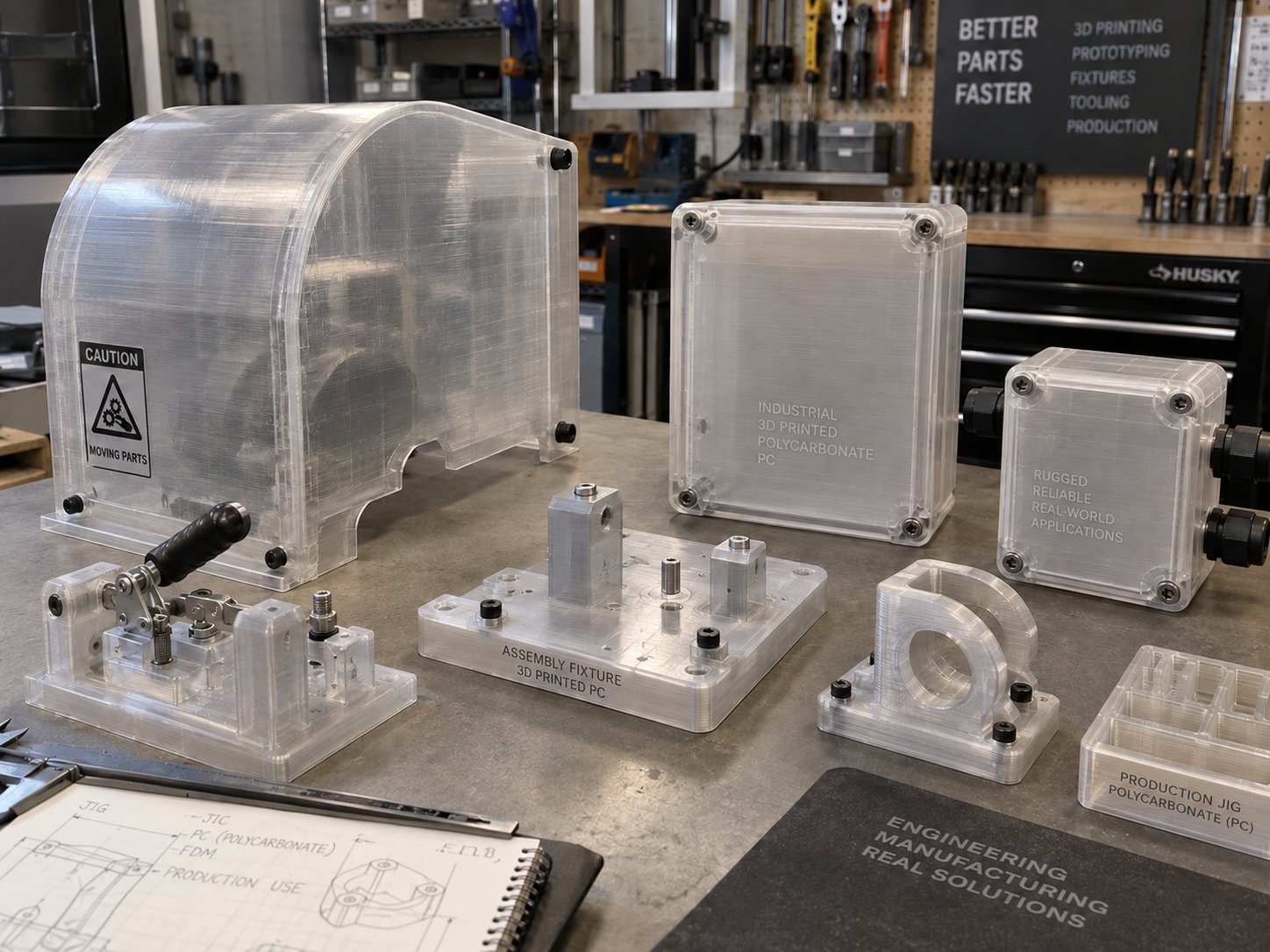
The appeal is a combination rather than a single property. Polycarbonate is stiff, it absorbs impact without shattering, and it holds its shape at temperatures where ABS, PETG and PLA have long since softened. That combination is what makes it useful for anything that has to survive a shop floor: brackets, guards, jigs, housings and tooling that operators handle daily.
The trade-off is process difficulty. Polycarbonate is hygroscopic, it shrinks as it cools, and it needs extrusion temperatures at the top of what a standard hotend can deliver. Those three facts drive almost every recommendation here.
Polycarbonate properties that matter on the shop floor
Impact strength: Very high. A polycarbonate bracket will flex and recover from knocks that would crack ABS and break PLA.
Heat resistance: The glass transition temperature is around 145 °C, and heat deflection temperatures are typically quoted above 120 °C. Printed parts stay usable in hot workshops, near machinery and inside vehicle cabins.
Stiffness and strength: Higher tensile strength and stiffness than ABS or PETG, which matters for load-bearing brackets and fixtures. Parts under constant load also hold their dimensions better than most general purpose filaments.
Notch sensitivity: Polycarbonate is tough in thick sections but can crack from a sharp internal corner. Fillets and generous radii are not cosmetic here, they are structural.
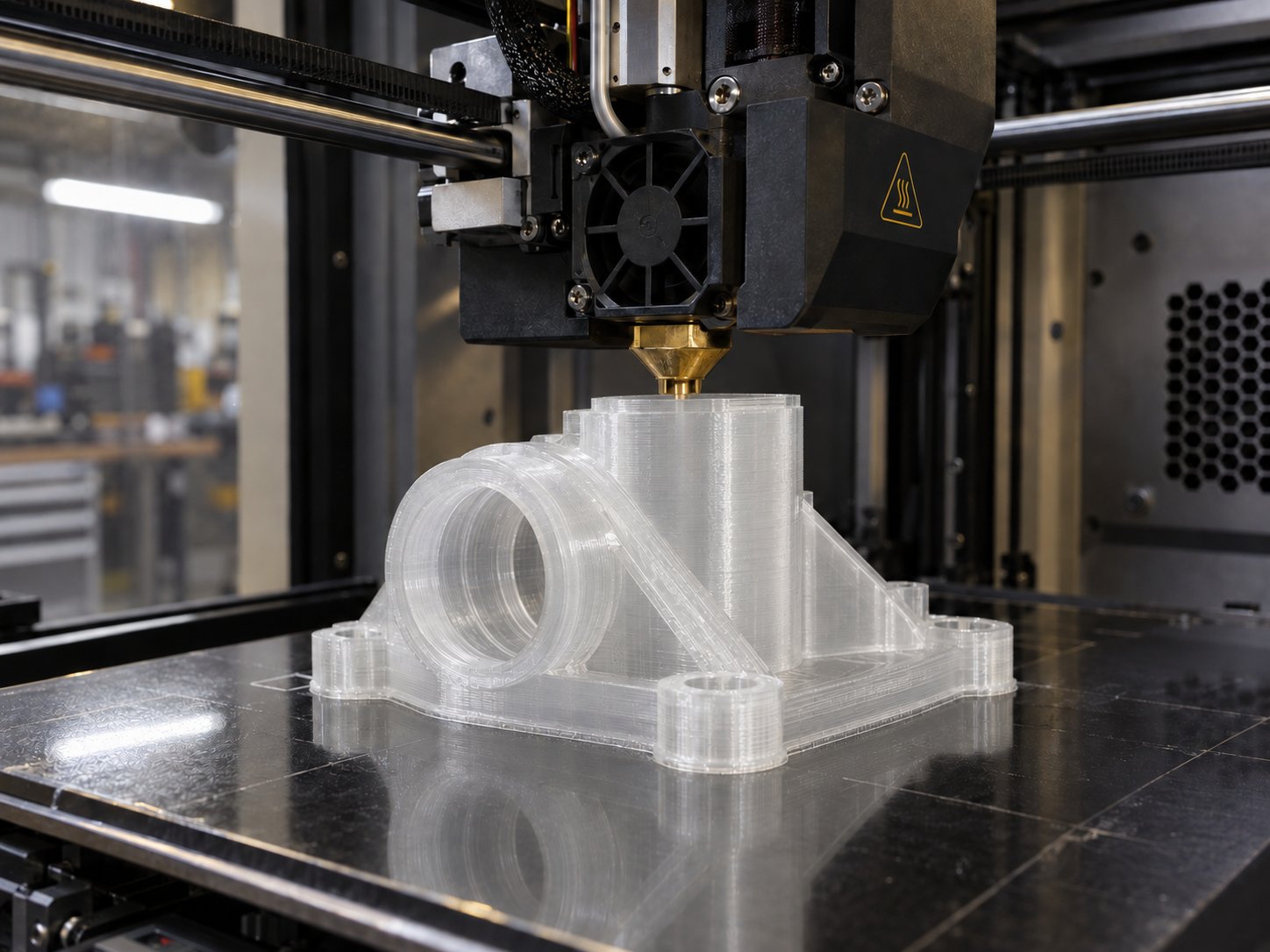
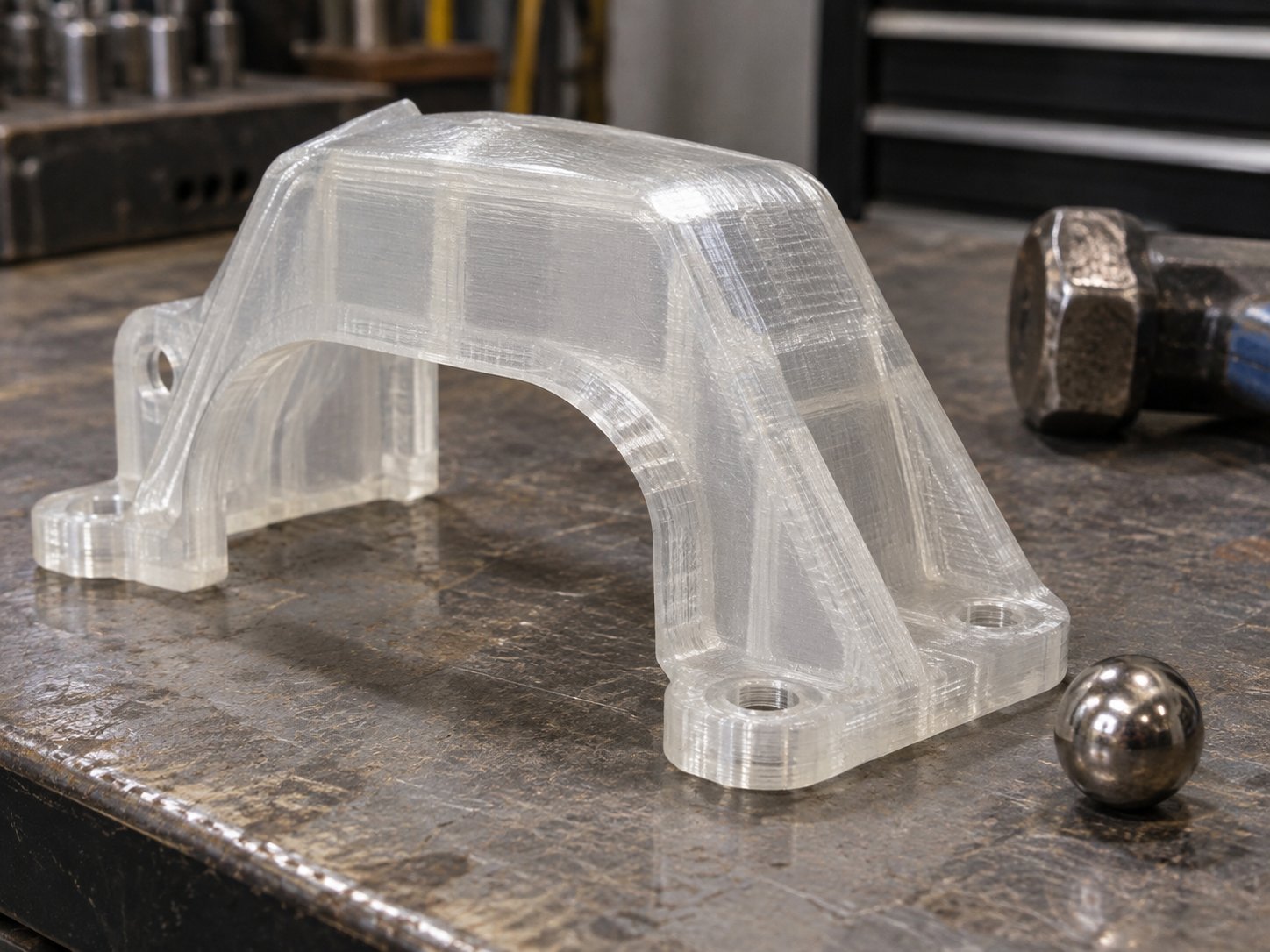
Transparency: Natural polycarbonate prints translucent rather than optically clear, since layer lines scatter light, so it suits guards and light covers rather than lenses.
Chemical behaviour: It resists many dilute acids, alcohols and oils, but not strong alkalis or certain solvents. Test a sample before contact with a process fluid.
Moisture absorption: High. An open spool will pick up enough water in a humid workshop to ruin a print within days.
Shrinkage and warping: Noticeable. This is the single biggest reason polycarbonate prints fail.
Electrical properties: Good dielectric strength, which is why electrical enclosures and covers are a natural fit.
Outdoor exposure: Unstabilised polycarbonate can yellow under prolonged sunlight, so specify a UV-stabilised grade for anything that lives outside.
Polycarbonate vs ABS, PETG and PLA
Material
Strength and stiffness
Heat resistance
Impact behaviour
Printing difficulty
Enclosure
Typical use
Polycarbonate
High
Highest of the four
Very high, notch sensitive
High
Required
Machine guards, jigs, electrical housings, under-bonnet parts
ABS
Good
Moderate, softens around 100 °C
Good, can crack on sharp edges
Moderate
Recommended
Enclosures, automotive trim, general functional parts
PETG
Moderate
Lower, softens around 80 °C
Good, deforms rather than shatters
Low
Not usually needed
Brackets, jigs, containers, workshop items
PLA
Stiff but brittle
Low, softens around 60 °C
Low, snaps on impact
Easiest
Not needed
Prototypes, models, cool-room fixtures
Read the table as trade-offs rather than a ranking. PLA is the easiest material to print and the worst choice for a part that gets hot or knocked. PETG is the sensible middle ground. ABS is a reasonable step up if your enclosure is already in place. Polycarbonate earns its difficulty only when heat, load and impact all matter at once.
Print settings for polycarbonate
These are starting points that suit most polycarbonate filaments. Every machine and every grade differs, so print a small test part before committing a long job.
Setting
Starting point
Why it matters
Nozzle temperature
270 to 300 °C
Needs an all-metal hotend. Below this range the layers bond poorly and delaminate.
Heated bed
100 to 120 °C
Keeps the first layers from contracting away from the plate.
Chamber temperature
60 °C and above, up to about 90 °C on machines that support a heated chamber
Slows cooling so the part shrinks evenly instead of curling and splitting.
Print speed
30 to 60 mm/s
Slower extrusion gives the polymer time to bond to the layer beneath it.
First layer speed
15 to 20 mm/s
A slow, pressed first layer is what keeps the part anchored.
Layer height
0.2 to 0.3 mm
Thicker layers mean fewer thermal cycles and stronger Z bonding.
Part cooling fan
Off, or no more than about 20 per cent
Cooling air is the fastest way to introduce warping and layer splits.
Flow rate
Calibrate on your machine, often slightly above 100 per cent
A little extra material compensates for shrinkage and improves wall strength.
Nozzle
Hardened steel if the filament contains fibre
Carbon and glass filled blends wear a brass nozzle out quickly.
Build surface
PEI sheet or glass with a suitable adhesive
Polycarbonate grips hard when hot and releases when cool.
Enclosure, chamber temperature and cooling
An enclosure is not optional with polycarbonate. The material contracts as it cools, and a part exposed to moving air cools unevenly from the outside in. The result is a print that lifts at the corners, splits between layers, or both.
A passive enclosure removes draughts and holds the heat the bed and hotend produce. Machines with an actively heated chamber go further and hold a controlled temperature, which is why they handle tall polycarbonate parts and dense solid sections more reliably.
Two habits help. Let the chamber warm up before the print starts rather than beginning cold, and keep the door closed for the whole print, then let the part cool inside. Opening the door to look at a finished part is a common cause of cracking on thick sections.
Cooling fans are the other variable. Turn them off for solid parts. If you have long bridges or steep overhangs, a low fan setting of around ten to twenty per cent is easier to live with than no cooling at all.
Bed adhesion and warping control
Polycarbonate sticks well to a hot PEI sheet or to glass treated with a thin layer of adhesive, which doubles as a release agent so the part comes off without tearing the surface. Whichever plate you use, keep it clean and free of fingerprints.
Beyond the bed, warping is managed at the design and slicer stage:
Add a brim to widen the footprint of every part, and a raft for thin or small parts with little contact area.
Place mouse-ear tabs at the corners of flat parts that curl easily.
Orient long, flat parts so their largest face is on the bed, not standing up.
Round off sharp internal corners, where stress concentrates and cracks begin.
Keep wall thickness consistent, because thick sections next to thin ones cool at different rates.
Design for a small amount of shrinkage rather than printing to a critical dimension first time.
When the print finishes, do not pull it off immediately. Let the plate cool inside the enclosure, out of any airflow, and the part will release on its own.
Drying polycarbonate before you print
Polycarbonate absorbs moisture from the air, and Malaysian workshop humidity makes that worse than the filament datasheet suggests. Water trapped inside the polymer flashes to steam at extrusion temperature, which shows up as popping sounds, bubbles, a rough surface, excessive stringing and walls that break along layer lines.
Dry the spool in a dedicated filament dryer or an oven at roughly 80 to 100 °C for four to six hours before a demanding print, and keep it in a sealed container with desiccant between jobs. Printing straight from a dry box is the most reliable habit of all. A spool that has sat open in the workshop for a week, or arrived in a vacuum bag that was opened months ago, should be dried regardless of how it looks.
Polycarbonate blends and why they are often the practical choice
Blending polycarbonate with other polymers and fillers produces materials that keep a worthwhile share of its strength while removing some of the difficulty. For many workshops, a blend is the realistic answer, especially where the printer has no heated chamber.
PC-ABS: Keeps much of the impact and heat performance of polycarbonate while printing closer to ABS conditions. A common choice for enclosures, automotive interior parts and machine components that will be handled hard.
PC-CF (carbon fibre filled): Stiffer and more dimensionally stable, with less warping than unfilled polycarbonate and a matte finish. It needs a hardened nozzle and usually a larger diameter nozzle to avoid clogging. Jigs, fixtures and brackets are its natural home.
PC-GF (glass fibre filled): Similar gains in stiffness and stability, again with abrasive wear on a brass nozzle.
Flame-retardant grades: Formulated for electrical and electronic housings where a standard polymer would not be acceptable. Confirm the exact grade and its documentation with your supplier before specifying it for a regulated product.
The trade-offs are worth stating plainly. Blends are more opaque, may have slightly lower impact strength than unfilled polycarbonate, and print at lower temperatures with less shrinkage. They remain hygroscopic, so drying is still required, and a blend sold as printable without an enclosure will still benefit from one on tall parts. Where dimensional stability and predictable results matter more than the last few per cent of performance, the blend is the better engineering decision.
Industrial applications of polycarbonate parts
Polycarbonate earns its place where a plastic part has to survive real use. The applications below are the ones that come up most often with manufacturers and workshops in Malaysia.
Jigs, fixtures and assembly aids: Light, tough and machinable. Polycarbonate fixtures can be drilled, tapped and reworked, and they resist the knocks of daily production better than most printed plastics.
Machine guards and safety covers: Transparent grades produce see-through guards for production lines, conveyor sections and test rigs without the lead time of a fabricated panel.
Electrical and electronic housings: Control boxes, terminal covers, sensor housings and mounting plates benefit from the dielectric strength and impact resistance.
Automotive components: Brackets, clips, sensor mounts and interior trim parts, plus prototypes of parts intended for injection moulding later.
Automation and robotics: Grippers, end effectors and vacuum tooling that must be light but will meet hard contact every cycle.
Low-volume production: Where a machined or moulded part only exists in tens or hundreds, printing in polycarbonate removes tooling from the schedule and still produces a part that works.
Manufacturing and process equipment: Guides, wear pads, chute liners and covers that run hot or take abrasion.
The pattern is consistent: polycarbonate replaces metal or a moulded part in small quantities, where tooling cost or metal weight is the problem, and where the part cannot tolerate a weaker plastic.
Common problems and fixes
Problem
Likely cause
What to do
Corners lifting off the bed
Uneven cooling and shrinkage
Raise chamber and bed temperature, add a brim, slow the first layer, remove draughts
Cracks between layers
Part cooling too fast, nozzle too cool, fan too high
Increase nozzle temperature, raise chamber temperature, reduce or switch off part cooling
Popping, bubbles, rough surface
Moisture in the filament
Dry the spool at 80 to 100 °C for four to six hours and print from a dry box
Heavy stringing
Wet filament, or excessive ooze at high temperature
Dry first, then tune retraction and travel speed
Parts snap at a sharp corner
Notch sensitivity and sharp internal geometry
Add fillets and radii, increase wall count, orient the part so the load is not across layer lines
Poor bed adhesion
Dirty plate, low bed temperature, thin contact area
Clean the surface, raise bed temperature, add a brim or raft
Nozzle clogging and under-extrusion
Reinforced filament, brass nozzle wear, inconsistent temperature
Fit a hardened steel nozzle, increase nozzle diameter for filled grades, check hotend temperature stability
Yellowing, or a sharp plastic smell
Extrusion temperature too high, or long dwell in the hotend
Lower the temperature within the grade range and avoid unnecessary pauses mid-print
Frequently asked questions
Do you need an enclosure to 3D print polycarbonate?
In practice, yes. Polycarbonate shrinks as it cools, and any moving air around the part causes uneven contraction, which shows up as lifted corners and layer splits. A passive enclosure is the minimum; a machine with a heated chamber is better for tall parts, large flat areas and thick sections.
What temperature settings does polycarbonate need?
Expect a nozzle temperature between 270 and 300 °C on an all-metal hotend, a heated bed between 100 and 120 °C, and a chamber at 60 °C or above, up to about 90 °C where the machine supports it. Print speeds of 30 to 60 mm/s with little or no part cooling suit the material well.
Is polycarbonate stronger than ABS?
Yes, on the measures that matter for functional parts. Polycarbonate has higher tensile strength and stiffness, better impact resistance and a higher heat resistance than ABS. The exception is geometry: polycarbonate is notch sensitive, so a badly designed part with sharp internal corners can crack earlier than the grade suggests.
Does polycarbonate filament need to be dried before printing?
Yes. Polycarbonate absorbs moisture quickly, and in a humid workshop an open spool can take on enough water to spoil a print within days. Dry it at roughly 80 to 100 °C for four to six hours, store it sealed with desiccant, and print from a dry box if you can.
Are polycarbonate 3D printing fumes safe in a workshop?
Printing any polymer releases some volatile compounds, and polycarbonate is best treated with the same caution as ABS. Print in a ventilated area or with filtration, and avoid working over an open machine for long periods. If your parts will be used in a controlled environment such as food handling or medical work, check the material documentation before specifying it.