3D Scanning for Dental Applications: Technology and Workflow Guide
Introduction to 3D Scanning in Dentistry
3D scanning for dental applications has revolutionized how dental professionals capture patient impressions and design restorations. Unlike traditional analog impressions using polyvinyl siloxane (PVS) materials and stone models, intraoral scanners project light to capture thousands of digital images that form an accurate 3D model of the patient dentition.
According to FDI World Dental Federation, CAD/CAM dentistry enables dental professionals to design and manufacture custom-made dental devices from digital scan data with the aid of a computer—replacing conventional wax-ups and hands-on fabrication processes.
3D Scanning for Dental Applications: Technology and Workflow Guide
How Intraoral Scanners Work
An intraoral scanner is a handheld device that projects a light source onto the area to be scanned. Sensors capture hundreds or thousands of images per second which are processed by scanning software to produce an accurate 3D surface model showing teeth and gingiva geometry.
Modern scanners like 3Shape TRIOS 6 capture 2400 images per second and include AI-assisted diagnostic software capable of monitoring ongoing pathologies including occlusal caries, tooth wear, recession, plaque, and proximal caries.
Key Scanner Capabilities
Speed: Digital scans take 1.5 to 6 minutes depending on experience level
Patient Comfort: Eliminates unpleasant tasting materials, bulky trays, and gagging
Diagnostic Functionality: AI software can identify caries, wear, recession, and plaque
Connectivity: Scan data can be sent digitally to dental laboratories
The Digital Dental CAD/CAM Workflow
The digital dental workflow follows a streamlined four-step process: Scan, Design, Print, and Prepare.
Step 1: Scan
Collect digital images using an intraoral scanner directly from the patient, or scan a traditional impression on a desktop optical scanner. Digital scans eliminate the need to ship physical impressions to laboratories.
Step 2: Design
Import scan data into CAD software such as Meshmixer or proprietary dental CAD programs. The software is used to clean the mesh, design the model, and prepare it for 3D printing. Key design tasks include smoothing boundaries, filling holes, and adding structural features.
Step 3: Print
Import prepared model files into print preparation software. Arrange models and send to the 3D printer. Modern dental 3D printers use SLA or DLP technology with biocompatible resins.
Step 4: Prepare
After printing, wash, dry, and post-cure the printed parts. Automated post-processing systems like Form Wash and Form Cure ensure consistent results.
Benefits for Dental Practices and Laboratories
Digital dental scanning offers compelling advantages over traditional methods:
Cost Savings: Eliminates PVS impression materials, plaster for models, shipping, and storage costs
Time Efficiency: Digital scanning takes 1.5-6 minutes vs longer traditional impression procedures
Patient Preference: A University of Bern study found 100% of patients preferred digital impressions over conventional methods
Model Storage: Five years of models can be stored digitally on a hard disc or cloud
In-House 3D Printing: Practices can print models on-demand, reducing laboratory turnaround time
Patient Communication
Digital scans enable powerful patient communication tools. Dentists can use smile design apps, monitoring apps for tracking bruxism and teeth movement, and treatment simulation to visualize orthodontic outcomes. Studies show 90% of patients highly value seeing their scan results.
3D Printed Dental Applications
Digital intraoral scans serve as the foundation for numerous 3D printed dental applications:
Clear Aligners: Custom orthodontic aligners printed from digital models
Splints and Occlusal Guards: Night guards for bruxism and TMJ treatment
Hawley Retainers: Traditional wire-reinforced retainers with digital design
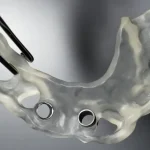
Surgical Guides: Precision guides for implant placement
Dental Models: Study models and working casts for laboratory work
Software for Dental Model Preparation
Meshmixer is a free, powerful software option for cleaning 3D scans and preparing them for printing. Key capabilities include mesh cleanup, boundary smoothing, hole filling, and extrusion for creating solid base structures.
For Formlabs users, the Scan to Model feature in PreForm software can convert intraoral 3D scan files directly into printable models—streamlining the workflow further.
Conclusion
3D scanning for dental applications represents a fundamental shift in digital dentistry. The combination of fast, accurate intraoral scanners, powerful CAD software, and accessible 3D printing enables dental practices to improve efficiency, reduce costs, and deliver better patient experiences.
Whether capturing digital impressions for same-day restorations, designing custom aligners, or producing surgical guides, the digital workflow has become essential for modern dental practices seeking competitive advantage and superior patient care.
Thank you for signing up. You will be the first to know the Industry news, upcoming products, latest technology and special promotion.