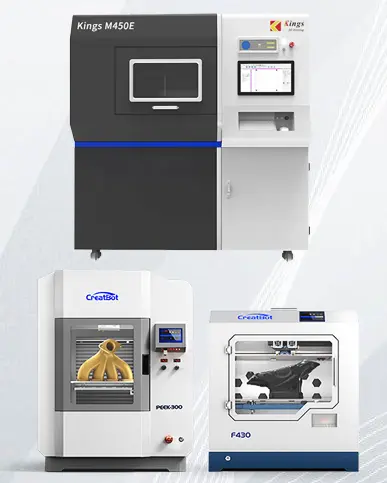
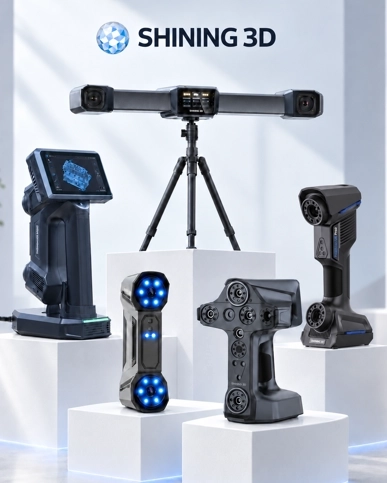
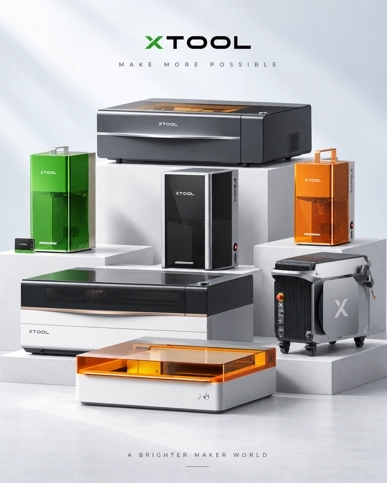

Handheld 3D scanner with robotic arm for automated data capture
3D Scanning Solutions by Industry in Malaysia
Whatever your industry — automotive, mold making, aerospace, marine, energy, medical or education — 3D...
3D scanning for education and research
3D Scanning for Education & Research in Malaysia
For universities, polytechnics and research institutes in Malaysia, 3D scanning turns physical objects...

3D scanning an infant's head for a cranial helmet
3D Scanning for Medical, Dental & Orthotics in Malaysia
For orthotics, prosthetics and dental labs in Malaysia, 3D scanning replaces messy plaster casting with...

3D scanning an energy pipeline for corrosion inspection
3D Scanning for Energy & Heavy Equipment Inspection in Malaysia
For energy operators and heavy-equipment manufacturers in Malaysia, portable 3D scanning replaces slow...

An xTool Retail Studio in-store workshop counter with engraving machines and personalised products on display
In-Store Personalization and Live Engraving: Turn Walk-Ins into Buyers
Live engraving converts browsers into buyers — a customer who watches their own name go onto a product...

A frosted XTOOL logo on a whisky tumbler beside a crystal block with the Kuala Lumpur skyline engraved inside it
Glass and Crystal Laser Engraving in Malaysia: From Frosting to 3D
Glass needs a UV laser. A CO2 or fiber laser heats the glass and cracks it; a UV laser marks cold, so...

The xTool F2 Ultra on a jewellery shop counter beside trays of gold rings and custom engraving signboards
Jewelry Laser Engraving in Malaysia: Names, Dates and Logos That Last
Laser engraving is the standard for jewellery because it is non-contact — no clamping, no pressure, no...

Six personalised tumblers in assorted finishes, each engraved with a different corporate logo
Tumbler Engraving in Malaysia: The Product That Pays for Itself
Tumblers are the best product to start a personalised-gift business with: constant demand, a cheap blank,...
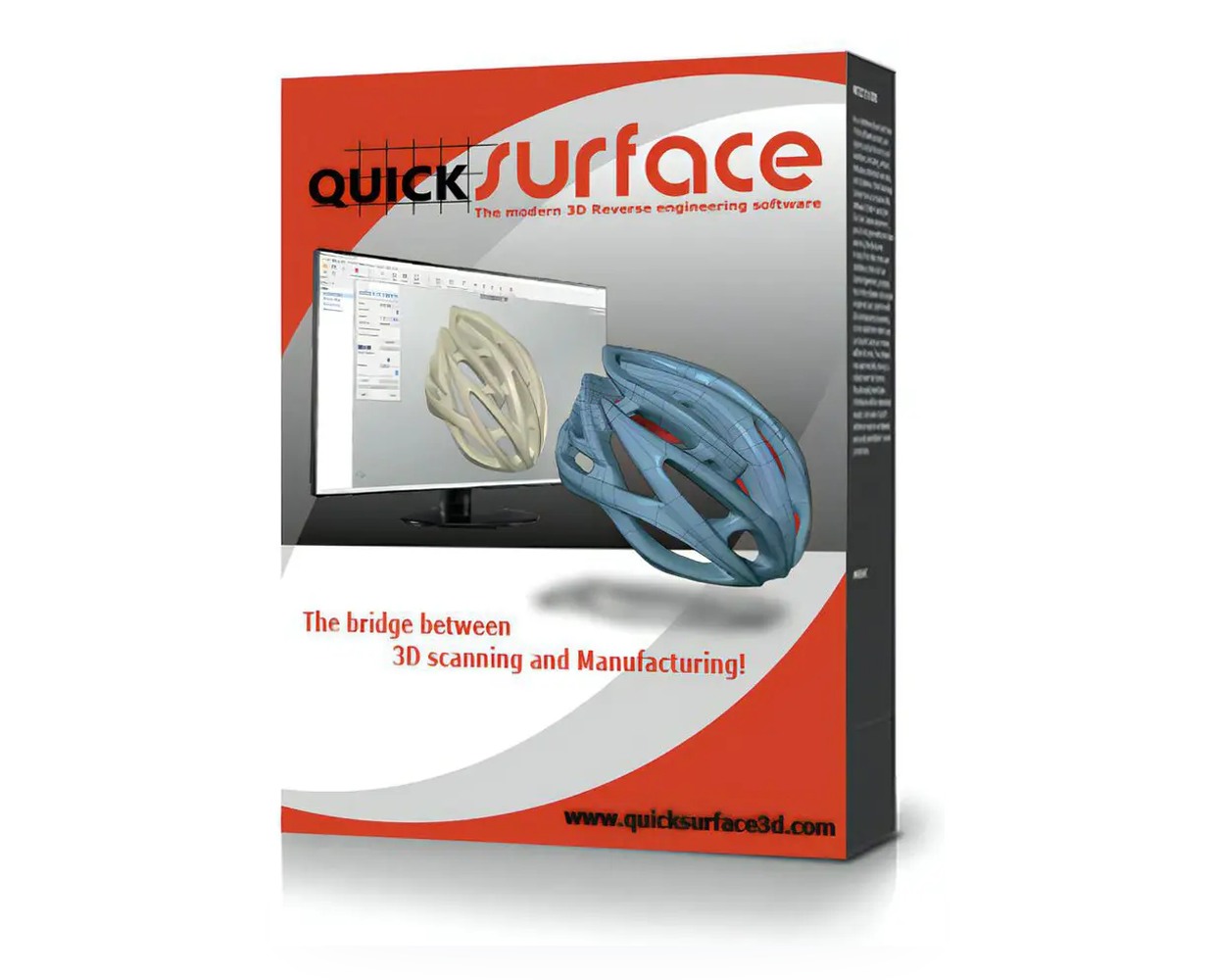
QUICKSURFACE reverse engineering software box showing the scan-to-CAD workflow on a helmet
3D reverse engineering software · Malaysia

QUICKsurface

Turn scan data into editable, parametric CAD. Import STL, OBJ, PLY or PTX from any 3D scanner, rebuild the surfaces to your design intent, export STEP or IGES for CAD, CAM or 3D printing.

  • Hybrid modelling — analytic features and freeform surfaces in one continuous workflow
  • Real-time deviation control against the original mesh, from first alignment to final surface
  • Powered by Siemens Parasolid; 64-bit, handles roughly 100 million triangles
STL / OBJ / PLYplus PTX point clouds — from any 3D scanner
~100Mtriangles handled by the 64-bit engine
STEP / IGESeditable CAD out, not frozen geometry
30 daysfree trial, no obligation

What 3D Reverse Engineering Actually Is

A scanner gives you a mesh: millions of triangles that describe a shape but carry no design intent. You cannot sketch on it, dimension it, or hand it to a machining supplier as a model. Reverse engineering is the step that turns that mesh back into real CAD — planes, cylinders, cones, fillets and freeform surfaces with history you can edit.

That is the only job QUICKSURFACE does. It is a dedicated scan-to-CAD tool rather than a modelling suite with a reverse-engineering module bolted on, which is why every core tool assumes noisy, imperfect scan data instead of clean, watertight geometry.

  • Recreate missing or lost CAD data from a physical part
  • Modify an existing component when only the part exists
  • Inspect a scanned part against its nominal CAD
  • Prepare scan data for CNC, mould or additive manufacturing
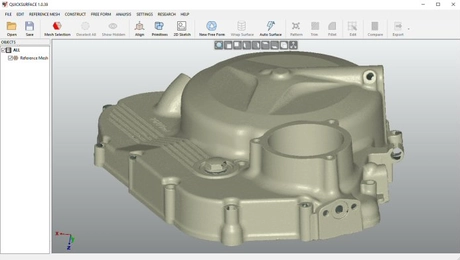
Imported STL mesh of a scanned part aligned in QUICKSURFACE
Scan data imported, aligned and ready for feature extraction.

From Scan to CAD in Three Steps

Every project follows the same route. Nothing in the workflow depends on which scanner produced the mesh.

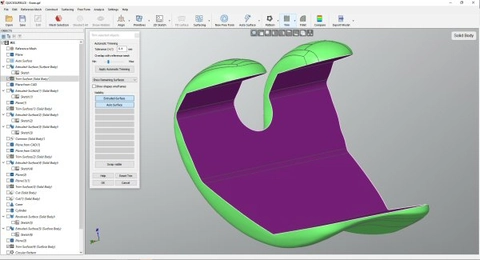
Trimming a scan mesh before surface reconstruction in QUICKSURFACE

1. Start with a Scan

Import an STL, OBJ or PLY mesh, or a PTX point cloud, from any 3D scanner. Clean up and section the mesh, de-feature it, and align it by features, scan-to-scan or scan-to-CAD.

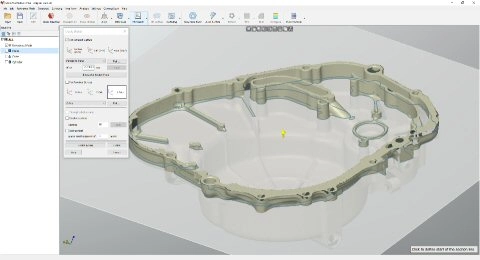
2D sectioning of a scan to drive constrained sketches in QUICKSURFACE

2. Rebuild the Surfaces

Extract primitives, fit surfaces, sketch constrained 2D sections, and rebuild freeform areas with loft, sweep, fill and automatic surfacing — then check deviation as you go.

Exporting a rebuilt model as STEP from QUICKSURFACE

3. Export and Use It

Send STEP or IGES to your CAD, CAM or 3D printing workflow. The result is editable, parametric CAD that behaves correctly downstream, not a frozen polygon model.

Why QUICKSURFACE

Six properties that decide whether a reverse-engineering tool is usable on real production work.

De-featuring a scan mesh in QUICKSURFACE before fitting surfaces

Built scan-first, not CAD-first

  • Every core tool assumes noisy, imperfect scan data
  • No expectation of clean or watertight meshes
  • Works naturally with real scanner output
Extracting cylinders and planes as primitives from scan data in QUICKSURFACE

Primitives you can constrain

  • Reconstruct planes, cylinders, cones and spheres quickly
  • Relate them by perpendicularity, parallelism and coincidence
  • Build reference geometry — axes, points, planes — as you go
Fitting a surface to scanned freeform geometry in QUICKSURFACE

Automatic surfacing that is editable

  • Surfaces follow real curvature, not triangle density
  • Output is parametric CAD with history, not frozen geometry
  • Balance between speed and control where it matters
Quad surface reconstruction of an organic scanned shape in QUICKSURFACE

Freeform when the part is organic

  • Quad surface reconstruction for shapes standard surfacing cannot hold
  • Snap-to-mesh modelling for sculpted and hand-made forms
  • Thicken and offset freeform surfaces into solids
Deviation colour map comparing rebuilt CAD to the reference mesh in QUICKSURFACE

Deviation you can see while you model

  • Real-time deviation analyser against the reference mesh
  • Distance colour map at any point in the process
  • Draft analysis for moulded and cast parts
Hybrid model combining solids and freeform surfaces in QUICKSURFACE

One workflow, two kinds of geometry

  • Mix analytic features with organic, sculpted areas
  • Trim, fillet, chamfer and pattern solids and surfaces together
  • No switching between tools or applications mid-part

Which Edition Fits Your Work

The three editions share the same modelling core. What changes is the tool depth, the licence model and whether you work inside SOLIDWORKS.

LITE

QUICKSURFACE Lite

Essentials for simpler projects and first-time users. A 1-year subscription, aimed at straightforward part reconstruction without the full surfacing toolset.

  • Import, align and section scan data
  • Primitive extraction and basic surfacing
  • STEP / IGES export
PRO

QUICKSURFACE Pro

The full toolset for complex work — hybrid parametric modelling, freeform surfacing, sketching, patterns and analysis. Perpetual licence with one year of maintenance included; maintenance is optional afterwards at roughly 10 % a year.

  • Everything in Lite, plus constrained sketching
  • Loft, sweep, fill, quad and automatic surfacing
  • Real-time deviation and draft analysis
SW

QUICKSURFACE for SOLIDWORKS

The same reconstruction tools as a plug-in, so the work happens inside SOLIDWORKS. Perpetual licence with one year of maintenance. Typical datasets of 80–100 million triangles on strong hardware.

QUICKSURFACE Personal exists for non-commercial use, and Schools/Universities licences are available on request. From 1 January 2026 Pro and for SOLIDWORKS are also offered as a 1-year subscription. We size the edition against your parts before quoting — send a sample and we will tell you which one you actually need.

Scanner and CAD Compatibility

QUICKSURFACE is scanner-agnostic. If your scanner exports a mesh or a point cloud, it will open it — including the Shining 3D and EinScan hardware we supply, and scanners you already own from other brands.

  • Import: STL, OBJ, PLY meshes and PTX point clouds
  • Export: STEP and IGES for CAD, CAM and 3D printing
  • Downstream: models open cleanly in SOLIDWORKS, Fusion, NX and Creo
  • Kernel: Siemens Parasolid, for reliability and speed
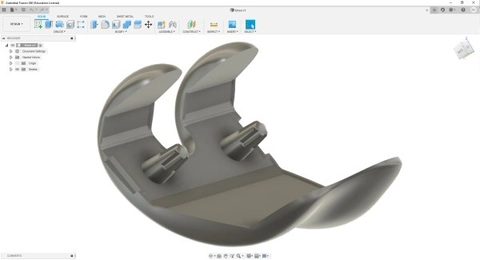
Cross-sectioned scan with surfaces fitted, ready to export from QUICKSURFACE
Surfaces rebuilt from scan data, ready to export as STEP.

System Requirements

Operating system

Windows10, 64-bit or newer
Architecture64-bit application

Hardware

CPUIntel Core i5 or higher, or equivalent
GraphicsDedicated NVIDIA or AMD card
MemorySized to dataset; 80–100M triangles on strong hardware

Licensing

ActivationOnline, on first install
UpdatesAutomatic detection; optional but recommended
Offline useYes, once activated

Support in Malaysia

SupplyTrinventor Solution
TrainingGuided onboarding and 1:1 sessions
DemoShowroom in Kuala Lumpur, or on-site in Peninsular Malaysia

Getting Productive, Not Just Licensed

Most users are effective after a few hours of tutorials and comfortable within a week. That only holds if someone shows you the order of operations on your own parts.

01

Guided onboarding

We sit with your first real part — alignment, features, surfacing, export — so the workflow is established before you are on your own.

02

1:1 training and consulting

Structured sessions for teams, plus help on difficult geometry: organic surfaces, thin-wall parts, or meshes that will not section cleanly.

03

Part review before you buy

Send a scan or a part file. We will tell you what is achievable, which edition covers it, and where the realistic limits are.

QUICKSURFACE — Frequently Asked Questions

Can I try QUICKSURFACE before I buy?

Yes. There is a 30-day free trial with no obligation, and we can run a session on your own scan data so you see how it behaves on the geometry you actually work with.

What is QUICKSURFACE used for?

Converting 3D scan data into accurate, editable CAD models: recreating missing CAD data, modifying existing parts, preparing scanned geometry for CNC, mould or additive manufacturing, and checking a part against its nominal model.

Who is it for?

Engineers, designers, manufacturers and reverse-engineering professionals who work with scan data and need CAD out of it — tooling and mould shops, product development teams, quality and inspection groups, dental and medical labs, and research departments.

Can it handle large scan datasets?

The application is 64-bit and handles roughly 100 million triangles. A built-in polygon reduction function lets you create a mesh with a workable triangle count without losing the quality you need. Inside SOLIDWORKS, 80–100 million triangles is typical on strong hardware.

What are the system requirements?

Windows 10 64-bit or newer, an Intel Core i5 or equivalent, and a dedicated NVIDIA or AMD graphics card. Licences are delivered and activated over the internet; after activation an internet connection is recommended for update detection but is not required.

What are the main features?

Hybrid modelling of organic and parametric geometry, feature and primitive extraction, constrained 2D sketching, loft, sweep, fill and extruded surfaces, trimming, fillets and chamfers, patterns, freeform and quad surfacing, automatic surfacing, shell and thicken, real-time deviation analysis, draft analysis, and STEP/IGES export.

How long does it take to learn?

The step-by-step video tutorials and QuickStart lessons get most users effective within a few hours and comfortable inside a week. We also run guided onboarding on your own parts; that is usually what turns a licence into daily use.

How do I buy QUICKSURFACE in Malaysia?

Through Trinventor Solution. Send us the part or scan you need to reconstruct, or a description of the work, and we will come back with the right edition, price and lead time. Purchase orders, quotations and local invoicing are handled here — you are not buying a licence from overseas.

How do maintenance and subscription work?

QUICKSURFACE Pro and QUICKSURFACE for SOLIDWORKS are perpetual licences that include one year of maintenance — updates and support. After the first year maintenance is optional at roughly 10 % per year. From 1 January 2026 both are also available as a 1-year subscription. QUICKSURFACE Lite is subscription-only.

Which edition should I choose?

Lite if the work is simpler geometry and you want the lowest entry point. Pro if you need the full surfacing and analysis toolset, which is most production reverse engineering. For SOLIDWORKS if your models live there and you want to avoid exporting at all. Tell us what the parts look like and we will say which one covers it — we would rather sell the smaller edition than an unused one.

Send Us the Part You Need Reconstructed

A scan, a mesh or a photograph with dimensions is enough to start. We will tell you what is achievable, which edition covers it, and what it costs — in Malaysia, with local support.

Trinventor Solution — 91 Jalan Jejaka 9, Taman Maluri, 55100 Kuala Lumpur · Showroom visits and on-site demos across Peninsular Malaysia.

QUICKSURFACE is developed by QUICKSURFACE and supplied in Malaysia by Trinventor Solution. Related reading: 3D scanning solutions by industry, scanning for medical and dental, education and research, and Geomagic Design X if you are comparing reverse-engineering packages.

Looking for the right solution for your application? Send us your requirement and our team will come back with the right model, price and lead time.

Enquire Now

Thank you for signing up. You will be the first to know the Industry news, upcoming products, latest technology and special promotion.

Stay Tuned.

Trinventor Solution Malaysia logo

Thank you! 

Your submission has been received. Someone from our team will contact you soon.

If you have any urgent issue,
please contat us by phone
@ +60 12716 8839

Book a Demo

QUICKSURFACE 3D reverse engineering software box

QUICKSURFACE

On-site demos are available in most areas of Peninsular Malaysia, and depend on the product model. For some locations or models we may need to arrange a different format - we will confirm within one working day.

Product Inquiry Form

QUICKSURFACE 3D reverse engineering software box

QUICKSURFACE